EasyManua.ls Logo

Davey microlene MCS - User Manual

Davey microlene MCS
24 pages
Print Icon
To Next Page IconTo Next Page
Loading...
Please pass these instructions on to the operator of this equipment.
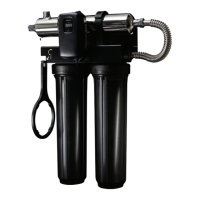
3 Stage UV Filtration
Models: MCS & MCXS
Installation and Operating
Instructions

Questions and Answers

  • A
    Amber TylerAug 19, 2025
    How to fix a lamp problem in my Davey Water Pump?
    • C
      Christopher SchmidtAug 19, 2025
      If the system detects a problem with the lamp in your Davey Water Pump, try resetting the lamp protection circuit by unplugging the unit for 10 seconds. If the problem continues, replace the lamp with the correct part. You can find this part indicated on the silver label on the chamber or on the Maintenance parts screen.
  • D
    Dillon ChapmanAug 21, 2025
    How to fix turbulent flow in Davey Water Pump?
    • V
      victoria45Aug 21, 2025
      If there's turbulent flow in your Davey Water Pump, ensure there is enough straight piping on the inlet side of the flowmeter. Also, check that the flow direction is correct.
  • J
    Jennifer MorseAug 23, 2025
    What to do if I have low UV intensity in my Davey Water Pump?
    • Z
      zhicksAug 23, 2025
      To address low UV intensity in your Davey Water Pump, start by removing and cleaning the quartz sleeve and sensor. Ensure your water quality meets the requirements specified on page 5 (filtration might be needed). If the issue persists, replace the lamp.
  • P
    Patricia SmithAug 26, 2025
    What to do if the module is no longer communicating with the Davey Water Pump system?
    • C
      Craig GonzalezAug 26, 2025
      If a module is no longer communicating with your Davey Water Pump system, check that all modules are properly connected to the system and to each other. You can test modules individually by plugging them in one at a time and cycling power to the system. Replace any module that isn't detected when plugged directly into the controller.
  • U
    ucoxAug 28, 2025
    What to do if the UV sensor is no longer communicating with the Davey Water Pump system?
    • C
      Cheyenne WileyAug 28, 2025
      If the UV sensor in your Davey Water Pump is no longer communicating with the system, make sure all modules are correctly connected to the system and each other. Test the modules by plugging them in one at a time and restarting the system. Replace any module that isn't detected when plugged directly into the controller.
  • F
    fosterjohnAug 30, 2025
    How to remove air bubbles from Davey Water Pump flowmeter?
    • R
      Renee AllenAug 30, 2025
      If you notice air bubbles or solid particles in the flowmeter body or pipe of your Davey Water Pump, first verify the installation is correct. Then, remove any air bubbles from the water supply. Consider adding filtering to reduce solid particles from entering the flowmeter.
  • T
    Terry YangSep 2, 2025
    What to do if my Davey Water Pump flowmeter is damaged?
    • B
      Brittany JeffersonSep 2, 2025
      If the flowmeter of your Davey Water Pump has internal damage caused by using an AC/DC wall adapter rated more than +5VDC or by dropping the device, you will need to replace the flowmeter.
  • C
    Christie RichardsonSep 4, 2025
    What to do if my Davey Water Filtration System has low UV intensity?
    • W
      williamsolomonSep 4, 2025
      If your Davey Water Filtration System displays a low UV intensity, you should first remove and clean the quartz sleeve and sensor. Verify that the water quality meets the requirements specified on page 5 (not provided) and consider adding filtration if needed. If the issue persists, replace the lamp.
  • J
    Joseph ThorntonSep 6, 2025
    How to fix a lamp problem in my Davey Water Filtration System?
    • D
      donnadoyleSep 6, 2025
      If the Davey Water Filtration System detects a problem with the lamp, try resetting the lamp protection circuit by unplugging the unit for 10 seconds. If the issue continues, replace the lamp with the correct part, which is indicated on the silver label on the reactor or on the Maintenance parts screen.
  • J
    jasminehamptonSep 8, 2025
    What to do if the UV sensor is not communicating in my Davey Water Filtration System?
    • W
      William JarvisSep 9, 2025
      If the UV sensor in your Davey Water Filtration System is no longer communicating with the system, make sure all modules are properly connected to the system and to each other. To test the modules, plug them in one at a time, cycling the power to the system each time. Replace any module that isn't detected when plugged directly into the controller.

Summary

Safety Considerations

Water Quality Parameters

Assembly

System Sizing

System Orientation

Installation Steps

Quartz Sleeve Installation

Guidance on carefully installing the quartz sleeve without touching it with bare hands.

Gland Nut and Spring Installation

Instructions for tightening the gland nut and inserting the spring for lamp alignment.

Installation Steps (Continued)

Lamp Connector Installation

Steps for plugging the lamp connector into the lamp and gland nut.

System Disinfection

Cleaning the Quartz Sleeve

Cleaning the Quartz Sleeve (Continued)

Cleaning the UV Sensor

Operation Overview

UV Intensity Monitoring

Lamp Countdown Sequence

MCS System Alarms

Lamp Replacement (MCXS Systems)

System Troubleshooting

Hard Alarms and Resolutions

Lists hard alarms, their causes (e.g., lamp failure, low UV), and corresponding resolutions.

Boil Water Advisory

Microlene Equipment Specifications

Microlene Systems Limited Warranty Statement

Limitations of Warranty

Lists conditions and factors that void the warranty, such as water quality and installation.

Obtaining Warranty Service

Davey General Warranty

Davey microlene MCS Specifications

General IconGeneral
BrandDavey
Modelmicrolene MCS
CategoryWater Filtration Systems
LanguageEnglish

Related product manuals