
 Need help?
Do you have a question about the DaytonAudio DAX88 and is the answer not in the manual?
Provides essential guidelines for safe operation, installation, and handling of the DAX88 unit to prevent hazards.
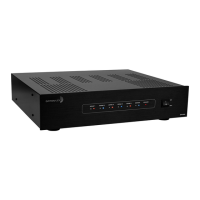
Details the DAX88's capabilities, included kit components, and optional accessories for system expansion.
Explains the features and usage of the Matrio app for comprehensive control of the DAX88 system.
Describes the LEDs, buttons, and connection ports on the front and rear of the DAX88 unit.
Covers the DAX88HUB Keypad Hub and DAX88IR IR Remote Control for extended control options.
Covers mounting, ventilation, power, and general setup procedures for the DAX88 unit.
Provides instructions for connecting and managing multiple DAX88 devices on a single network.
Details speaker wiring, impedance, stereo/bridge modes, and preamp output usage for optimal audio.
Explains how to connect diverse analog and digital audio sources to the DAX88 inputs.
Covers connecting keypads via the hub and configuring dip switches for precise zone control.
Guides users through setting up wired ethernet and wireless Wi-Fi network connections for the DAX88.
Explains the functionality of 12V triggers for automating external devices and system integration.
Offers tips for optimal setup, naming conventions, cable management, and system integration for users.
Introduces the Matrio app, its core controls, and the functionality available in demo mode.
Explains how to connect to and switch between multiple DAX88 units within the Matrio application.
Details controlling individual zones and executing commands across multiple zones simultaneously via the app.
Guides on naming the DAX88 unit, zones, and inputs for personalized and easier system management.
Covers using AirPlay, Spotify, DLNA, and the Hi-Fly app for wireless audio streaming to the DAX88.
Discusses network requirements and potential issues impacting reliable Wi-Fi audio streaming.
Step-by-step guide to restoring the DAX88 to its default factory settings using the Matrio™ app.
Lists detailed technical specifications including RMS power, frequency response, dimensions, and weight.
Details the control command format, zone numbers, and action codes for RS232 serial communication.
Provides specific RS232 commands for adjusting volume, treble, bass, balance, and source selection.
Explains how to query status of power, mute, volume, and keypad connections via RS232.
Addresses common problems with the Matrio app not connecting or recognizing the DAX88 unit.
Troubleshoots issues related to no sound, low volume, distorted sound, and unwanted noise or hum.
Resolves problems with Wi-Fi streaming, Spotify recognition, and AirPlay device detection.
 General
| RMS Power (All Channels Driven) @ 8 Ohms | 75 Watts / Channel |
|---|---|
| RMS Power (All Channels Driven) @ 4 Ohms | 80 Watts / Channel |
| RMS Power (All Channels Driven) @ 8 Ohms Bridge Mode | 180 Watts / Channel |
| Power Supply (Switchable) | AC115/60Hz, 230V/50Hz |
| Power Consumption (Standby) | 23W |
| Power Consumption (MAX) | 1031W |
| S/N Ratio | >87 dB |
| THD | 0.60% |
| Frequency Response | 20 - 20, 000 Hz |
| Maximum Input Sensitivity | 620 mV |
| Amplifier Protection | Overload, Short Circuit, Thermal |
| Trigger Systems | DC 12V |
| Warranty | 5 Years |
| Input | RCA, 3.5mm, Optical, Wi- Fi Audio Streaming (AirPlay, DLNA, Spotify Connect) |
| Output Connectors | Terminal Block, RCA |
| Line Out Voltage | 1.5V |
| Bass Control and Fc | +/-12 dB @ 100 Hz (Shelf) |
| Treble Control and Fc | +/-12 dB @ 10kHz (Shelf) |
| Standby | 120 Minutes |
 Weight and Dimensions
| Dimensions | 16.75" (W) x 4" (H incl. feet) x 14.25" (D) |
|---|---|
| Weight | 17.3 lbs. |

 To Next Page