
 Need help?
Do you have a question about the DaytonAudio MA1260 and is the answer not in the manual?
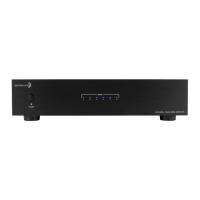
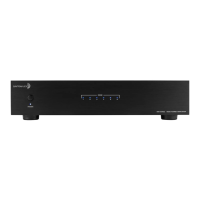
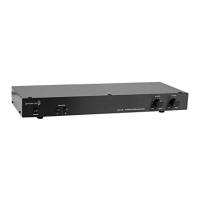
Describes the front panel controls including the master power switch/LED and zone status indicators.
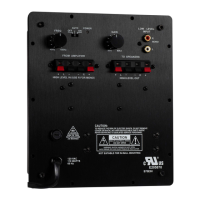
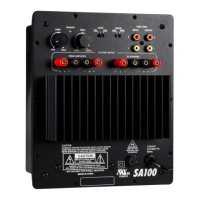
Common audio inputs/outputs for system distribution. Emphasizes using high-quality cables.
Configures amplifier activation via trigger, auto-sensing, or manual 'on' modes.
Connects to external automation systems and can provide a 12VDC trigger output.
Allows independent adjustment of audio level for each channel to match speaker outputs.
Combines two channels for increased power output, requiring a minimum 8-ohm impedance.
Selects audio source (BUS 1, BUS 2, LINE IN) for each channel.
Uses Phoenix style connectors for speaker wire. Proper gauge and polarity are essential.
Provides dedicated inputs for each channel, enabling direct source connections.
Allows selection between 115V and 230V operation, requiring fuse adjustment.
Standard IEC inlet for power cord and houses the main fuse holder.
Illustrates a common setup connecting multiple audio sources to various rooms via the amplifier.
Provides solutions for potential audio system hum issues, often related to grounding or cable TV feeds.
Crucial safety guidelines for preventing electric shock, fire, and ensuring proper ventilation.
Detailed technical specifications of the MA1260 amplifier, including power, dimensions, and weight.
Explains how to properly set channel level controls, especially when using in-wall volume controls.
Highlights risks of damage from incorrect setup, such as clipping audio signals via level controls.
 General
| Channels | 2 |
|---|---|
| Impedance | 4 - 8 Ohms |
| Minimum Impedance Unbridged | 4 Ohms |
| Minimum Impedance Bridged | 8 Ohms |
| Total Harmonic Distortion | < 0.1% |
| Signal-to-Noise Ratio | > 100 dB |
| Gain | 32 dB |
| Crosstalk | > 70 dB |
| Damping Factor | > 200 |
| Frequency Response | 20 Hz - 20 kHz |
| Input Sensitivity | 1 Volt |
| Input Impedance | 10 kOhms |
| Power Supply | AC 120V, 60Hz |
| Power Output | 60 Watts per channel |

 To Next Page