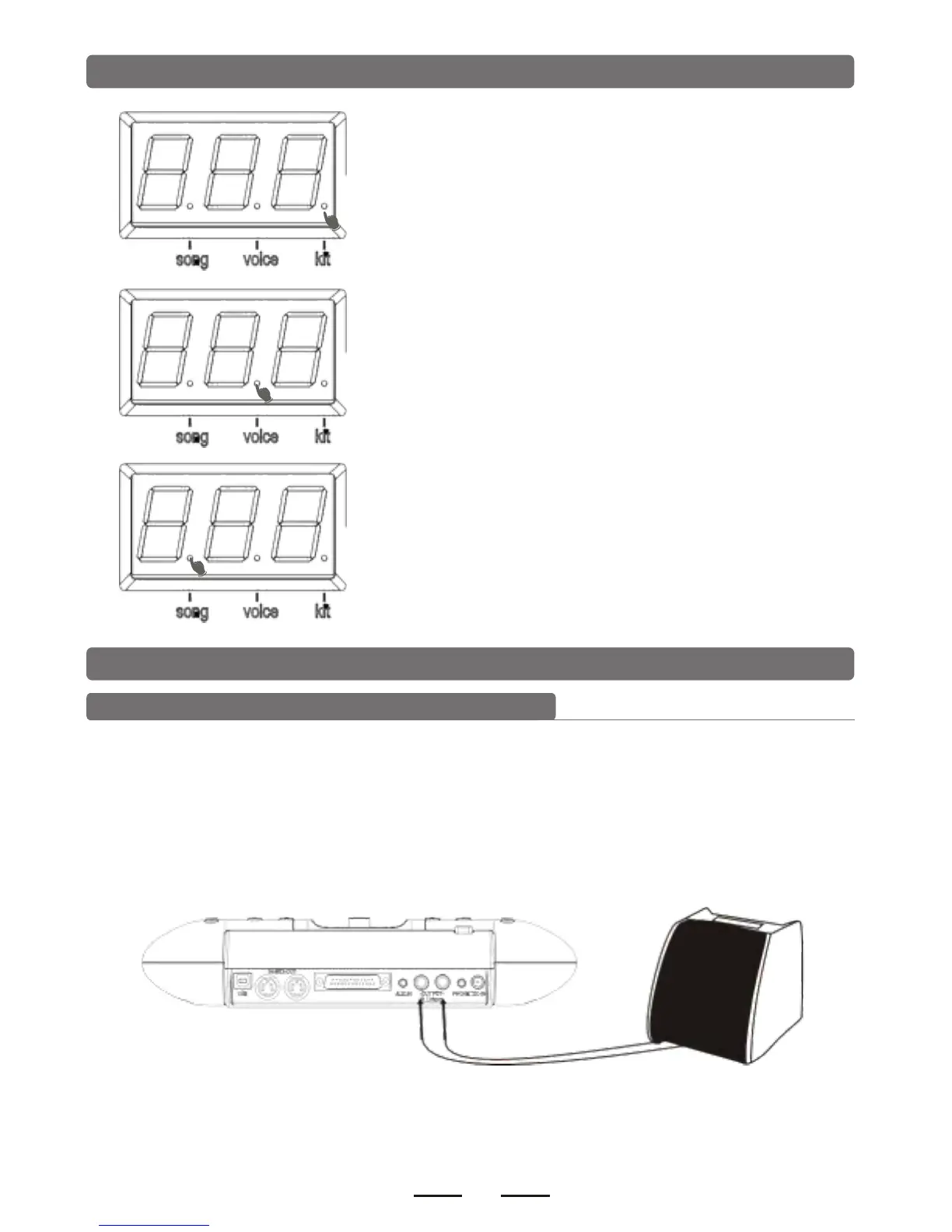
LED Display
Drum kit LED lights up: the number means the
drum kit number
Tone LED lights up: the number means the voice
number.
the preset song LED lights up: the number means
the preset song number.
4. Connect with external devices
Connecting with audio system or drum speaker cabinet
Connect one end with L/mono R, and the other end with audio system or drum amplifier.
such as EDA series.
Note:
1). L/mono is only for the left channel output.
2). When connecting with stereo devices, it needs to connect L/mono and R connectors.
The volume is controlled by the module volume knob and device volume knob.


 To Next Page