DBL Technology Co., Ltd. GoIP User Manual
www.dbltek.com Technical Support: support@dbltek.com
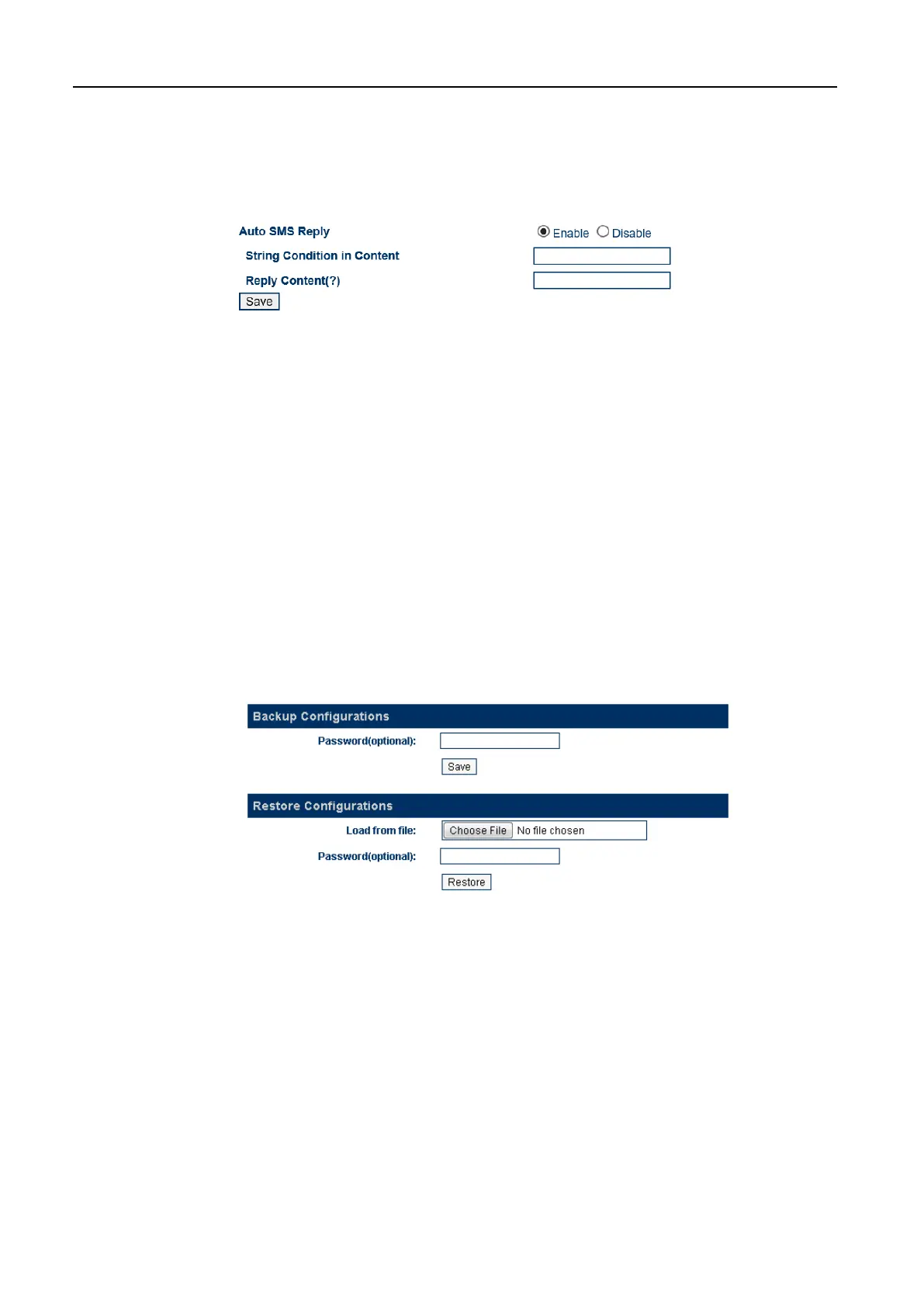
this parameter is enable, GoIP will check the content of each SMS. If the content matches the
Trigger String for an SMS Reply, GoIP then creates a message with the content equals to Reply
Content + the SIM card phone number of the sender. This message is then sent back to the
sender.
2. Set Trigger String for an SMS Reply = the SMS Content. This SMS Content is the message content
of the sender.
3. Set Reply Content = Text before SIM Phone Number. This can then enable the sender to be able
to retrieve the SIM Phone Number.
4. Set SMS Service Number = the phone number of another GoIP channel.
5. Set SMS Content = Trigger String for an SMS Reply
6. Set CID of the SMS Response = the phone number of another GoIP Channel (same as the one set in
SMS Service Number).
7. Set Text before the SIM Phone Number = Reply Content
5.4.11 Backup / Restore
The device configuration can be backup or restore via this page. Click [Backup / Resotre Confguration]
to access the page shown below.
To backup the device configuration, just click [Save] in the Backup Configuration section. If a password
is required when restoring a saved configuration, enter a password before the backup.
To restore a saved configuration, choose the configuration file in the Restore Configuration section and
then click [Restore]. Enter the password if required.
https://arttel.ru/
https://arttel.ru/shop/gsm-shlyuzy/gsm-shlyuz-goip-4


 To Next Page