Section A - Appendix
A.1 Factory Reset
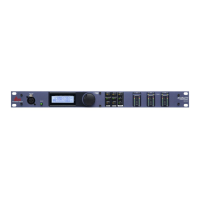
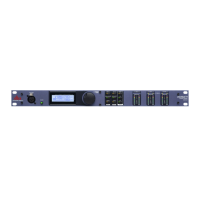
In the event that a reset is required, the DriveRack® PX offers you the option of performing
a “Soft” or “Hard” reset. The Soft Reset resets all operating parameters except user presets.
The Hard Reset Procedure will reset all preset information back to the factory defaults.
All Power-Up Functions require a button(s) to be pressed and held as the unit power is turned
on.
DriveRack PX Power-Up Button Functions
Factory (“Hard”) Reset.
Press and hold the <STORE> button at power-up until the following message appears:
“! HARD RESET?”
“Yes <PREV PAGE>”
“No <PRESET>”
• Pressing the <PREV PAGE> button will start a Factory Reset (All User Presets will become
copies of the Factory Presets, all Utility settings will be defaulted, and all Security settings
will be defaulted).
• Pressing the <Preset> button will abort the Factory Reset sequence and the unit will reset
normally.
System (“SOFT”) Reset
• Press and hold the <COMP/LIMITER> button at power-up until the following message
appears:
“! SOFT RESET?”
“Yes <PREV PAGE>”
“No <PRESET>”
• Pressing the <PREV PAGE> button will start a System Reset (All Utility settings will be
defaulted.)
• Pressing the <Preset> button will abort the System Reset sequence and the unit will reset
normally.
A.2 Power Up Quick Key Options
The DriveRack® PX offers several “Quick Key” options for initial power up and are as follow:
Change Initial Preset Number
• To change the initial power preset number, Press and hold the <PRESET> button at power-up
until the following message appears:
“Use Wheel to Change Restart Preset Number”
DriveRack
®
PX
Section A
Appendix
33


 To Next Page