40
US
CA
Care and cleaning
To start a
CLEAN
cycle
1
Remove oven shelves, side racks and all other accessories, bakeware, and utensils.
See ‘Removing and replacing the side racks’ and ‘Positioning the shelves’ for instructions.
2
Wipe up any spills or grease deposits and remove any loose food soiling. Failure to do so may
discolor the oven surfaces and cause excessive smoking during the cycle.
3
Check that the lamp covers are in place.
4
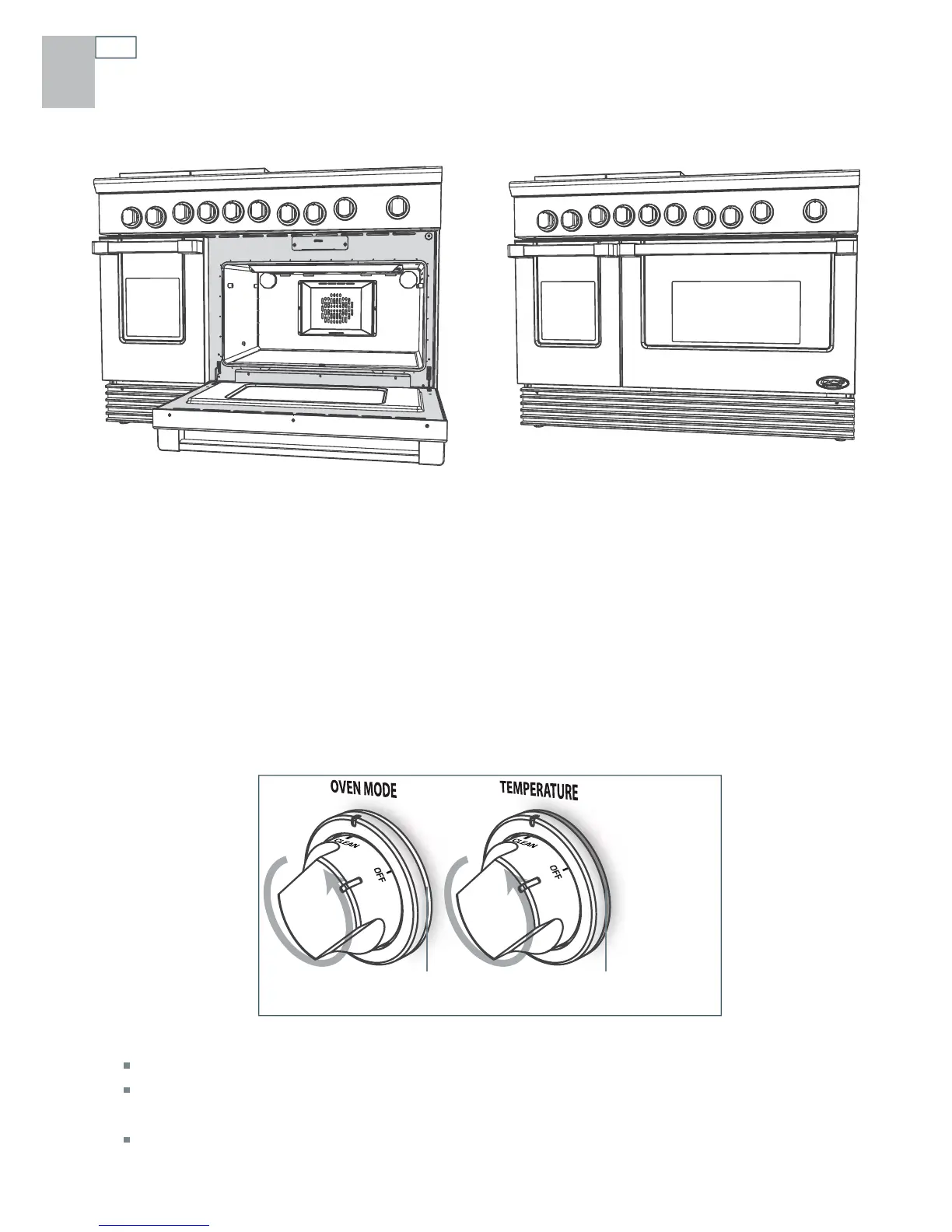
If there is soiling on the oven frame or the outer edge of the door interior (the shaded areas
shown above), clean these using a soap-filled non-abrasive pad, then wipe with a clean damp
cloth.
5
Close the oven door firmly.
6
Turn the ventilation hood above the range on maximum, and leave it on for the duration of the
cycle.
7
Turn the oven mode knob counterclockwise to CLEAN.
In a few seconds, its halo will glow white to indicate that the oven door is locked.
For your safety, the door will remain locked during the cycle.
8
Turn the temperature knob counterclockwise to CLEAN.
Its halo will first glow orange, then red during the cycle.
Halo
(White)
Halo
(Orange then Red)


 To Next Page