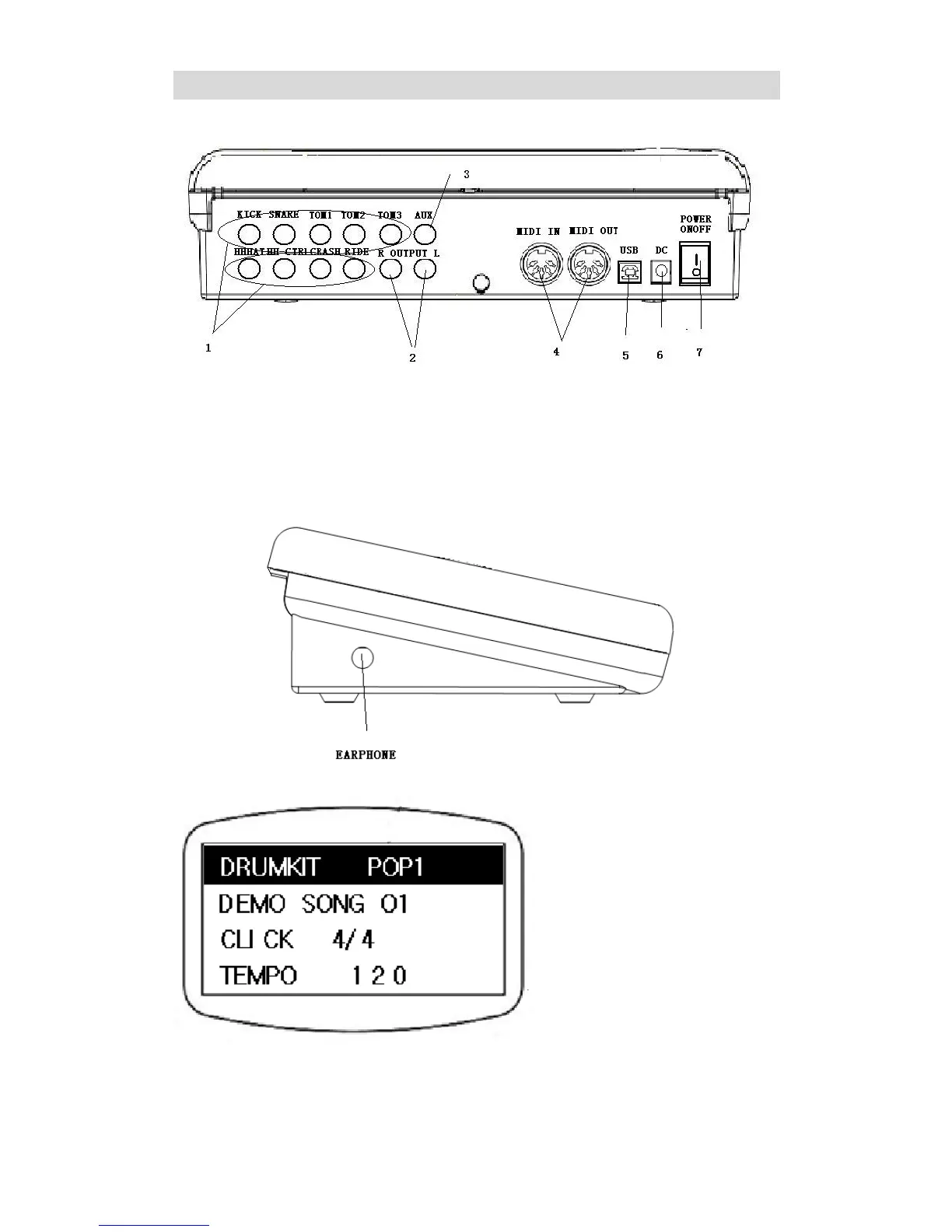
1. Pads/Pedal Jack
2. Audio Output Jack(Stereo split)
3. Audio Input Jack
4. 5pin MIDI Jack
5. USB MIDI Jack
6. Power Supply Jack (9V~12V DC)
7. Power Switch
Side Jack
Headphone Jack: at the left side of the module
LCD Display Main Page
After switching on the power, the module will display as shown above. This is the main page of
the module and the current option will be highlighted. As shown in the picture “DRUM KIT” is
the chosen option, now user can press the LEFT/RIGHT button to change the drum kit or press
SETUP to enter the drum kit setting. To change options, press the UP/DOWN button.


 To Next Page