Key Operations
31
On-screen Help
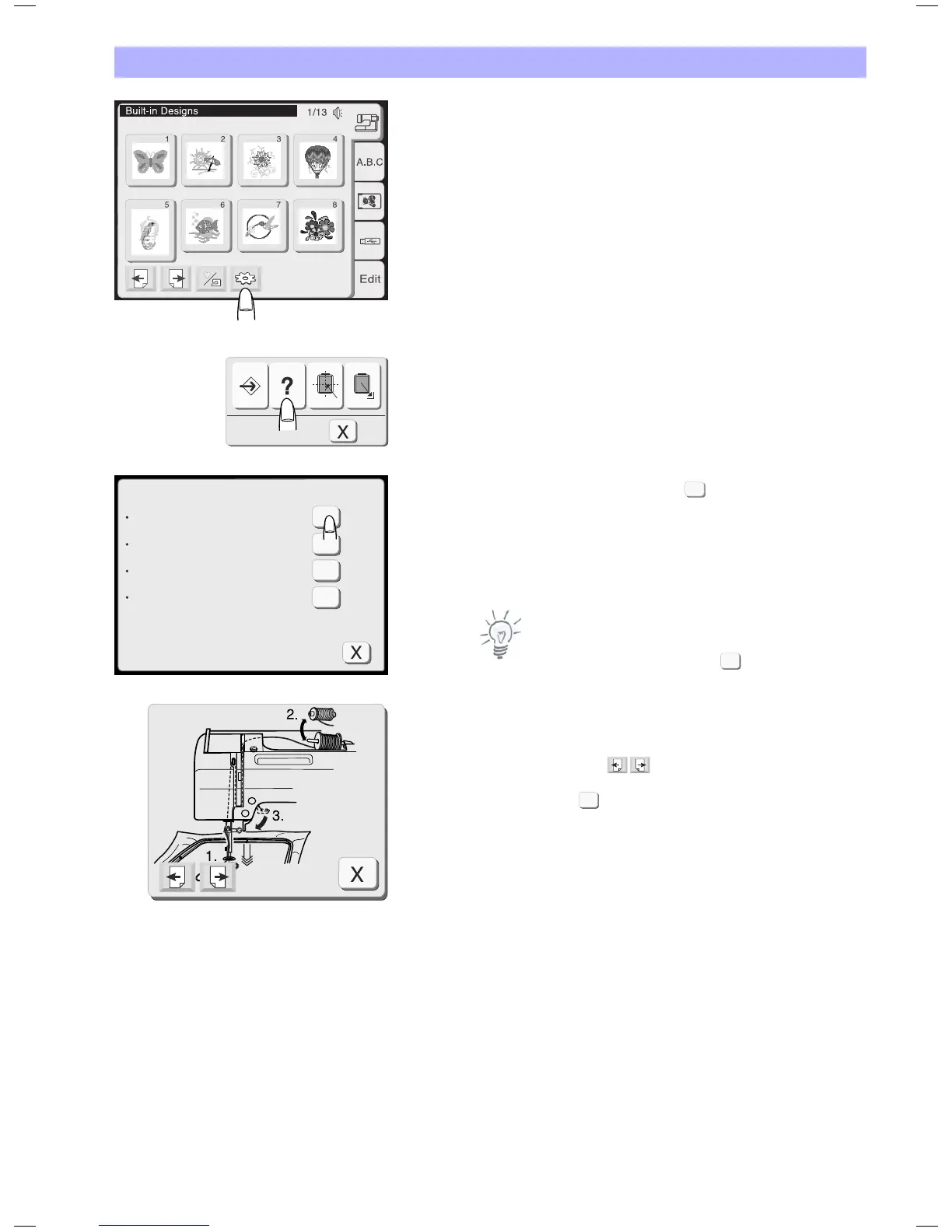
You can view on-screen help for the basic operations of the
machine.
Press the utility key.
Press the help key in the utility selection window.
Select a help topic by pressing the key next to the topic.
Press the Page keys to scroll through the pages of a help window
Note:
To close the help window, press the close key.
The illustrated help of the selected topic will be displayed on the
screen.
Use the page keys to scroll through the pages of the
instructions.
Press the close key to go back to the previous display.
?
?
?
?
Index
Changing needles
Inserting the bobbin
Threading the machine
Winding the bobbin
X
X
?


 To Next Page