Care and Maintenance
60
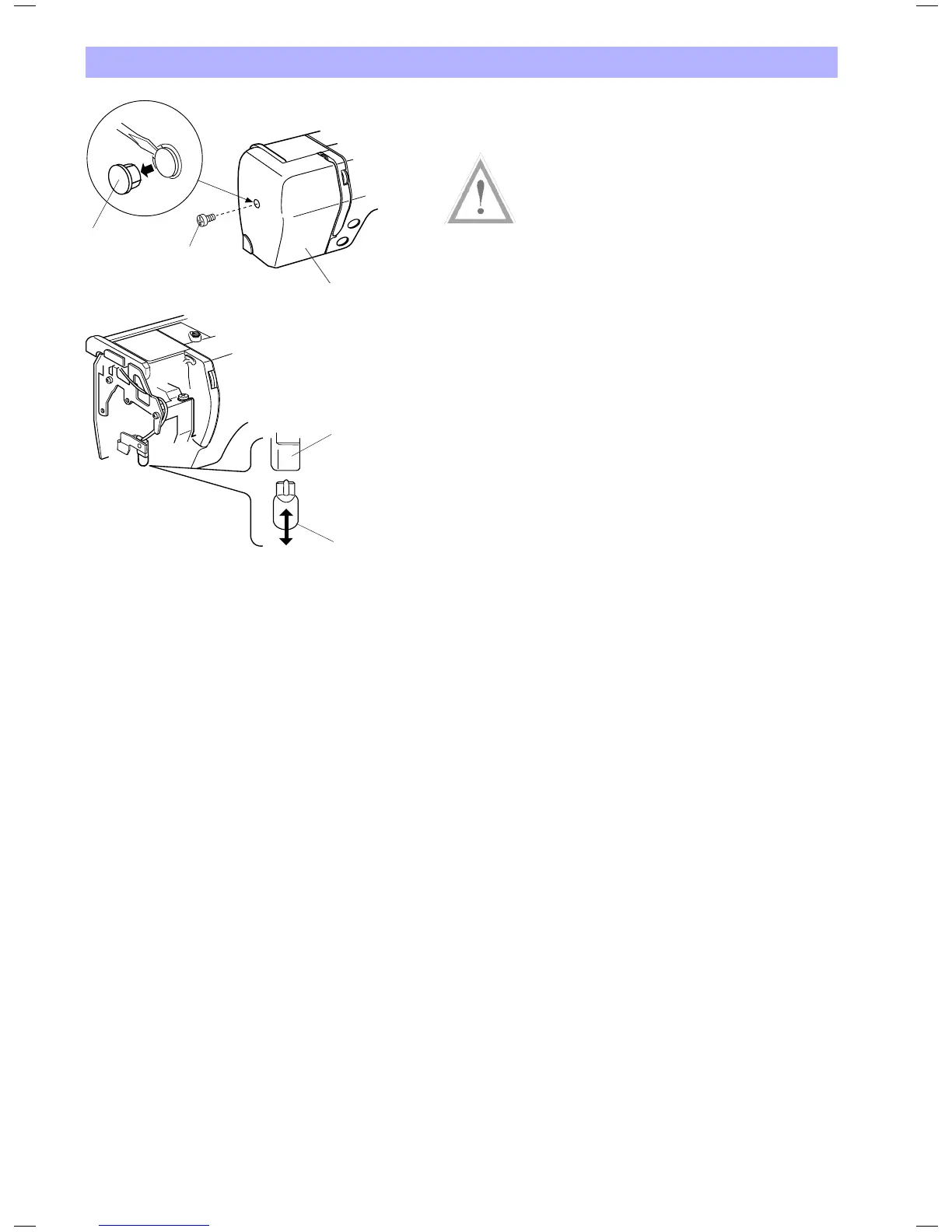
Replacing the Light Bulb
Warning:
Turn off the power and unplug the embroidery computer before
replacing the light bulb.
The bulb could be HOT, wait until it has cooled down before
touching it.
To remove:
Remove the cap and setscrew. Remove the faceplate. Pull out the
bulb from the socket.
To replace:
Insert the bulb into the opening of the socket. Attach the faceplate
with the setscrew, and attach the cap.
1 Cap
2 Setscrew
3 Faceplate
4 Lamp Socket
5 Light bulb
4
5
1
2
3


 To Next Page