Dectron, Inc. March 2012
DECTRON
Owner’s Manual
DSH/DSV/RSH/DBH/RBH Series Dehumidifier
Data subject to change without notice.
277
Read Sensors Operation
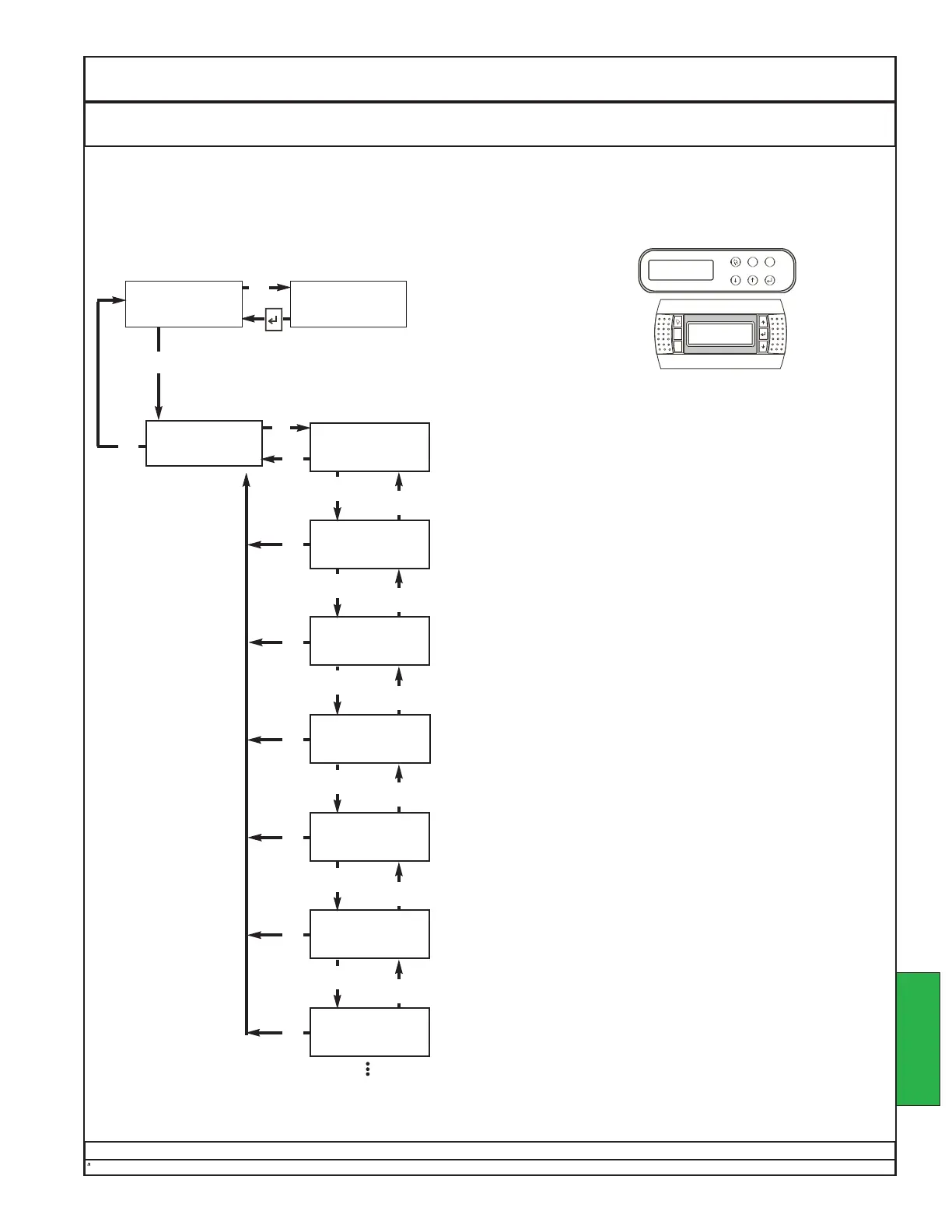
The values of some sensor signals are displayed on the default screen, as at right. To read all sensors, follow
the steps below.
NOTE: In the images and the discussion below, “aaa”, “bbb”, “ccc”, “ddd”, and “xxx” are placeholders.
Your screen will actually show the current values for your unit.
GO TO
SENSOR READINGS
INDOOR HUMIDITY
READING . . . xxx %
RETURN AIR TEMP
READING . . . xxxF
MAIN MENU
SCROLL DOWN
FOR OPTIONS
SUPPLY AIR TEMP
READING . . . xxxF
EVAP 1 AIR TEMP
READING . . . xxxF
POOL 1 IN TEMP
READING . . . xxx F
POOL 1 OUT TEMP
READING . . . xxx F
DISCHARGE 1 TEMP
READING . . . xxxF
Default Screen
HUMIDITY aaa / bbb %
ROOM AIR ccc / ddd F
Press
↓↓
repeatedly to reach screen below.
to other readings
This screen displays the relative humidity of the room air, as
measured at the return duct
This screen displays the temperature of the room air, as meas-
ured at the return duct
This screen displays the temperature of the supply air, as meas-
ured at the DRY-O-TRON® supply blower.
This screen displays the temperature of the air leaving the evapo-
rator of the first refrigeration circuit.
This screen displays the temperature of the pool #1 water enter-
ing the DRY-O-TRON®.
This screen displays the temperature of the pool #1 water leaving
the DRY-O-TRON®.
This screen displays the temperature of the hot refrigerant gas
leaving the #1 compressor. This is important to a proper startup.
See Startup - TXV Adjustment.
This is a sample. The order and number of sensor
screens may vary, depending on options ordered.
OPERATION
↵↵
Esc
Esc
Esc
Esc
Esc
Esc
Esc
Esc
Esc
↑↑
↓↓
↑↑
↓↓
↑↑
↓↓
↑↑
↓↓
↑↑
↓↓
↑↑
↓↓


 To Next Page
 Loading...