11
The oven asks you to enter the following
cooking settings:
Non-microwave cooking:
Temperature
Optional cooking time
Micro-wave cooking
Power
Cooking time.
Combined cooking + microwave:
Temperature
Power
Cooking time.
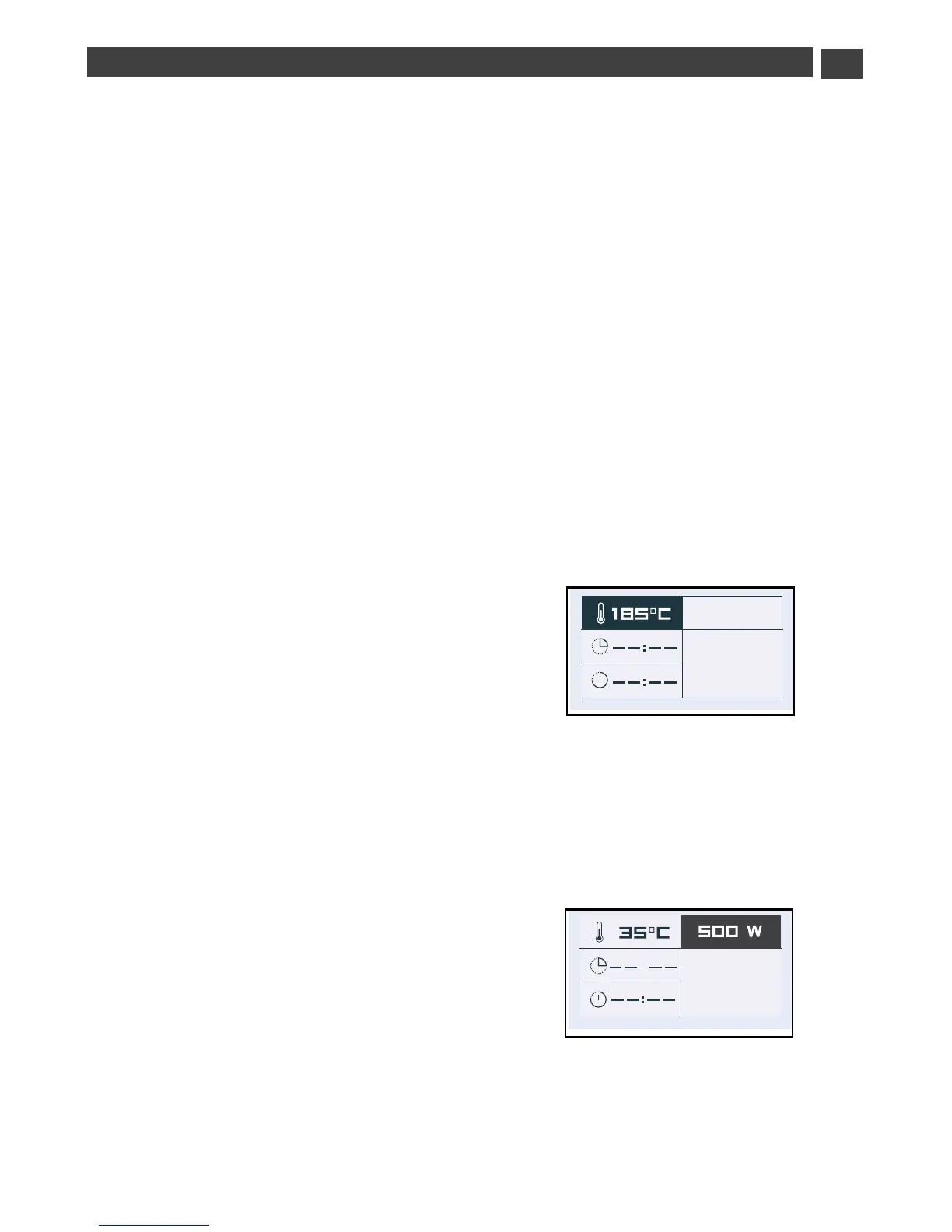
• Temperature
Based on the type of cooking you already
selected, the oven will recommend the ideal
cooking temperature. This can be adjusted
as follows:
Select the “Temperature” symbol by pressing
< or >. Confirm with the OK button and the
“Temperature” symbol flashes: choose the
desired temperature by pressing < or > and
then confirm.
In the grill position (medium or full), select
the “grill power” symbol and use the < and >
buttons to set the power to the desired level
(between 1 and 3) and then confirm.
• Power
Based on the type of cooking already
selected, the oven will recommend the ideal
power. This can be adjusted as follows:
Select the “Power” symbol by pressing
< or >. Confirm with the OK button and the
“Power” symbol flashes: choose the desired
temperature by pressing < or > and then
confirm.


 To Next Page
 Loading...