-8-
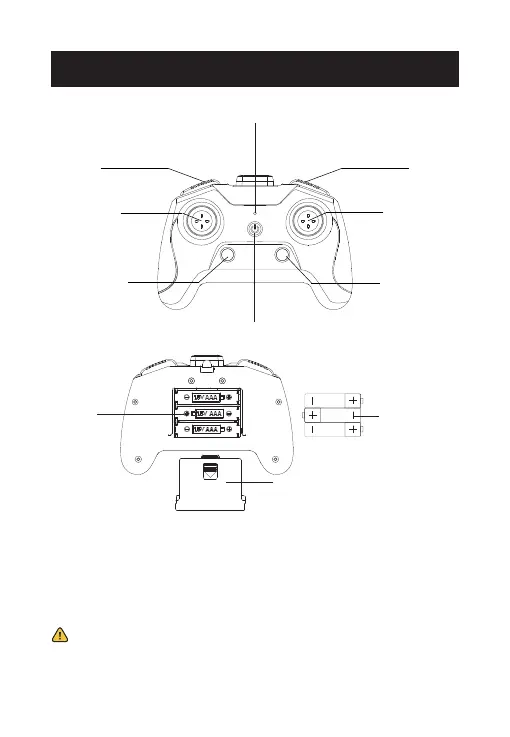
One Key Takeoff
& Landing
(Short press)/
Gyro Calibration
(Long press)
Power Indicator
Right Joystick/
360° Flip
Left Joystick/
Headless Mode
Speed Switch
(Short press)/
Trimmer
(Long press)
Power Switch
High-Speed Rotation
(Short press)/
Circle Fly
(Long press)
Take Photo
(Short press)/
Record Video
(Long press)
TRANSMITTER FUNCTIONS
3*AAA Batteries
(NOT included)
Open the battery cover on the back of the transmitter, insert the three
AAA batteries (Not included) into the battery compartment. Then
close the battery cover to complete the installation.
- Install batteries carefully.
- Do not mix old and new batteries.
- Do not mix different types of batteries.
Battery
Compartment
Battery Cover
* Low Battery Signal: The power indicator on the transmitter will
flash and the transmitter will beep continuously.



 To Next Page