-18-
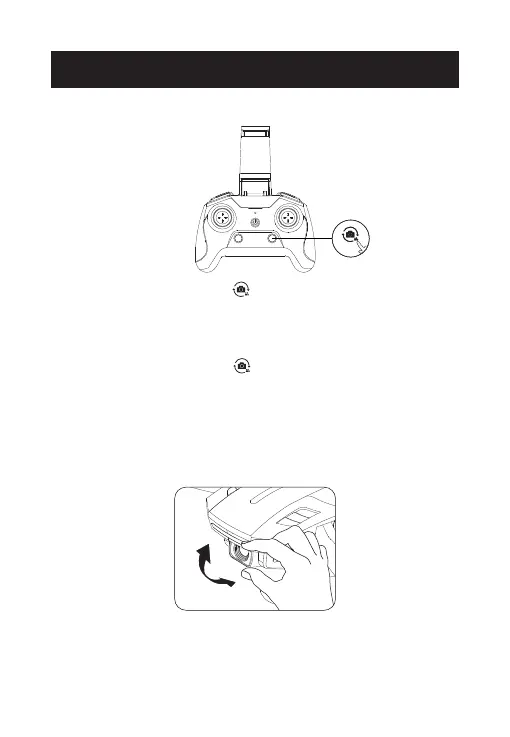
Take Photo: Short press the ( ) button on the transmitter to take
pictures. The transmitter will beep once, and the drone’s indicator will
flash once. This indicates that the camera has successfully taken a
picture.
Record Video: Long press the ( ) button on the transmitter to record
videos. The transmitter will long beep once, which indicates that the
camera has started recording video. Long press again to exit the
recording. (You will hear two beeps from the transmitter.)
FUNCTIONS DETAILS
You can adjust the camera's shooting angle by rotating the camera
manually. (The camera has a 90° tilt range.)
TAKE PHOTO/RECORD VIDEO
CAMERA ANGLE ADJUSTMENT



 To Next Page