PROOFPROOF
Operating—JDLink™Website
RW00482,00002FF-19-23MAY14-1/1
CZ76372,000053B-19-26NOV12-1/1
AE77568,00001FC-19-24MAY16-1/1
WebsiteLogin
CreationofaCustomerAccountisrequiredfornew
JDLink™customers.ContactyourJohnDeeredealer
forassistancewithcreatingausernameandpassword
foryourJDLink™account.
WhenenteringJDLink™website,operatorispromptedto
enterusernameandpassword.Operatorswithaccess
tooneorganizationaretakendirectlytotheiraccount.
Operatorswithaccesstomultipleorganizationsare
providedadrop-downlistoftheirorganizations.Selectan
organizationtoviewtheinformationforthataccount.
JDLinkisatrademarkofDeere&Company
GettingStarted
JDLink/ZXLinkSetup
SetupfortheMTGcanonlybedonethroughtheJDLink/
ZXLinkwebsiteorbythedealerviaServiceADVISOR.
NOTE:MTGcannotbesetupusingthemachine
ortheGreenStardisplay.
RequiredInformation
YourlocalJohnDeeredealerisresponsiblefortransferring
theJDLinkterminalintothecustomeraccount.The
followinginformationwillbeneededforthetransfertobe
processed.
•
OrganizationInformation
Thisistheaccountthatmanagesalltheterminalsand
usersforabusinessorgroup.
•
CustomerUserName
Thisprofilewillneedtobethemainuserfortheaccount
sotheycanbesetupasanadministrator.Thisisalso
thesameusernamethatthecustomerusestoaccess
www.stellarsupport.com.Ifthecustomerdoesnot
haveaStellarSupportprofile,thedealershipwillneed
contactinformationtocreatetheprofile.
•
EquipmentName
ThisistheJDLink/ZXLinkterminalormachinename
thedealerwillbetransferringintothecustomeraccount.
NewTransferredTerminal
Oncethedealerhastransferredtheterminaltothe
customer'sorganization,thecustomerwillthenloginto
theJDLink/ZXLinkwebsiteusingtheirusernameand
password.Oncetransferred,theusercanchangethe
terminalsetupinformationandsettings.
Whentheterminalisconfiguredtotheuser'spreferences,
itisreadytogo.
WebsiteNavigation
JDLink™UserGuide
SelectHelpwithintheJDLink™websitetoopentheUser
Guide.TheUserGuidecontainsdetailedinformation
aboutnavigatingandusingthewebsite.
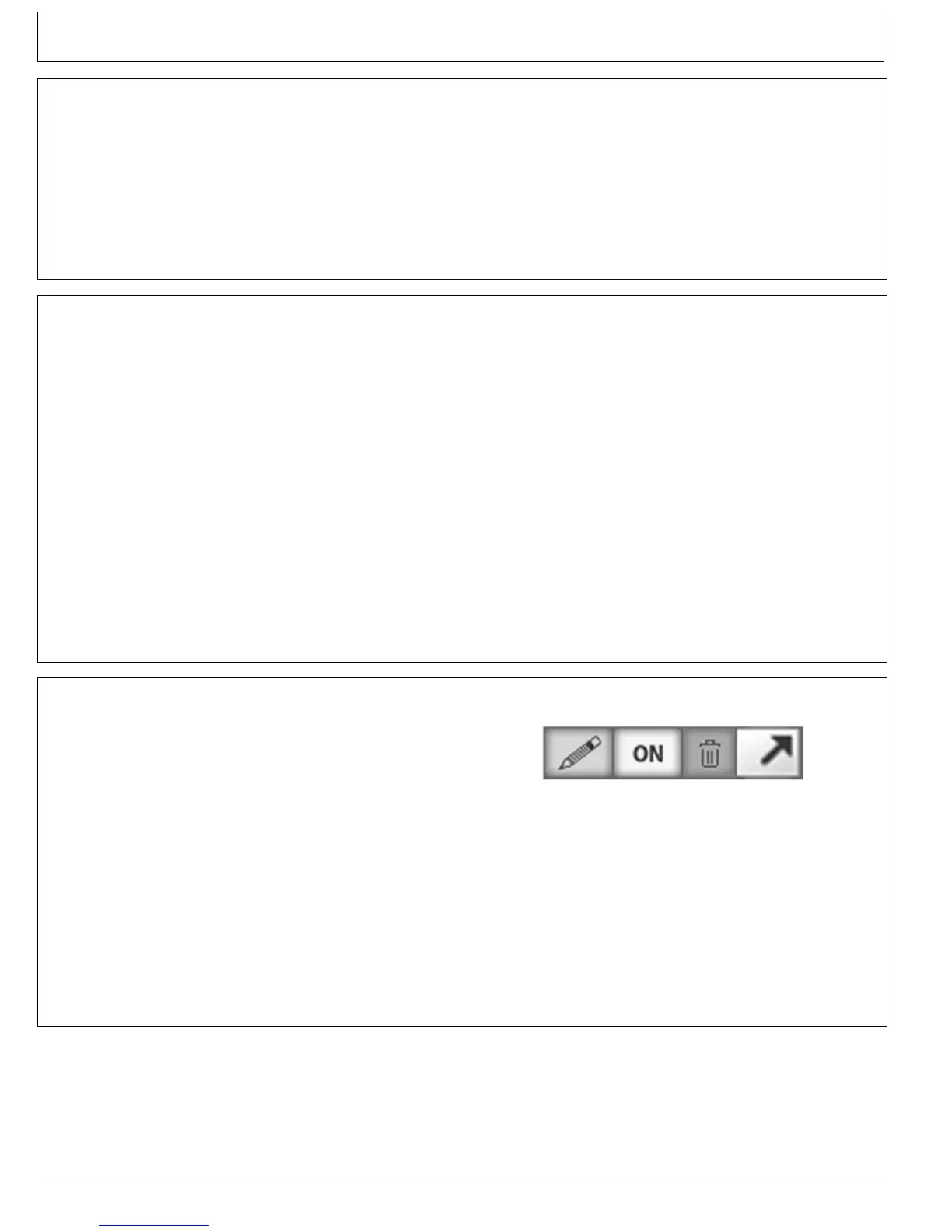
WebsiteIcons
PencilIcon—Editbutton.
On/OffIcon—Turnsfeaturesonoroff.
TrashCan—Deletebutton.
ViewingPane—Aseparateareainasplitwindow.
MagnifyGlass—Centersmachineinmapviewingpane.
MachineKey—Locatedinlowerleft-handsideof
Dashboardpage.Agreencirclenexttomachine
nameindicatesthatmachinehasJDLink™Select
PC12706—UN—04JUN12
WebsiteIcons
active.Ayellowcirclenexttomachinename
indicatesthatmachinehasJDLink™Access,
Ultimate,orConnectactive.Ablankorblackcircle
nexttomachinenameindicatesthatmachineis
inactive.
JDLinkisatrademarkofDeere&Company
70A-1
062816
PN=28


 To Next Page