7
HOMEDEPOT.COM
Please contact 1-866-308-3976 for further assistance.
will not be covered by the warranty.
Periodically clean the solar panel with a soft cloth and warm water. Do not spray
with a hose. Keep the panel clear of snow and leaves. Make sure trees and other
objects do not block sunlight from the panel.
Care and Cleaning
soft, damp cloth only.
Operation
1
Adjusting the light modes
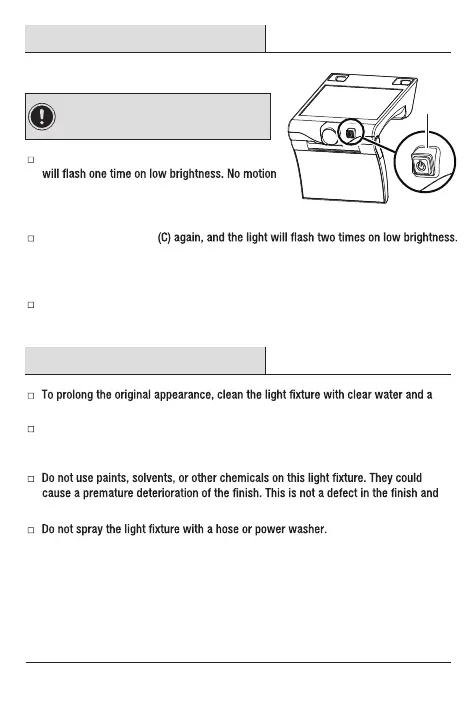
Press the power button (C) once, and the light
detected during daylight. When motion is detected,
light turns to full brightness. After 20 seconds of no
motion, light turns off.
Press the power button
If no motion are detected, the light is on low brightness constantly. When motion is
detected, light turns to full brightness. After 20 seconds of no motion, light turns to
low brightness.
Press the power button (C) a third time to turn the light off.
C
IMPORTANT: The light will work from dusk
to dawn. The mode can be changed by pressing
the button.
HOMEDEPOT.COM
Please contact 1-866-308-3976 for further assistance.



 To Next Page