MIC RECORD
other
audio
devices
USE AS AN ACTIVE LOUDSPEAKER(LINE-IN)
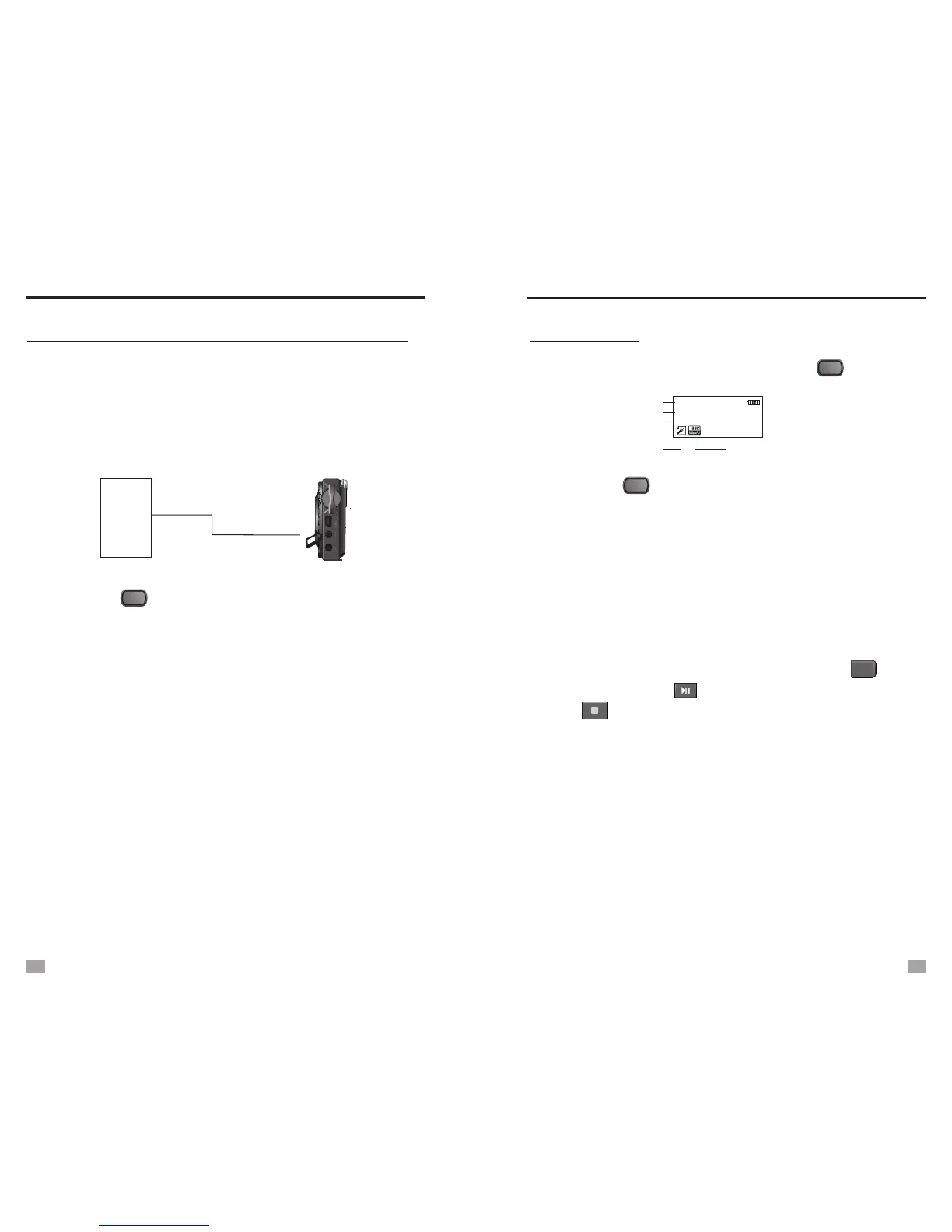
Connect the unit to other medias( MP3, voice recorder,
Laptop, etc.) with a Line-in cable, can increase the sound of
the connected media.
1. Plug one end of the Line-in cable to the earphone jack of
the audio equipment, and the other end into the Line-in jack
of the unit.
2.
press the < > button to enter.
3. Adjust the volume to a proper level, turn on the audio
equipment, the sound will come out from the speaker of
the unit.
Turn on the unit and select [FM Radio] in [Main Menu],
Select [Record] in [Main Menu], press the < > to enter.
1. Press the < > button to select REC type:
- Long Rec (Long time recording- 64K, WAV format)
- High Rec (High quality recording- 129K, WAV format)
- Fine VOR (High quality voice sensor recording- 128K,
VOR format)
MIC Record Mode
018 30:01:50
REC019 11/01/20
File NO./ Time
Rest recording time
Year/Month/Date
Record format
019 00:00:00
Record mode symbol
MENU
Fine VOR: If the audio source volume is too low, the recording
will pause until the audio source volume increase
to a recognizable level.
2. After select desired record format, press the < > button
to start, press the < >button to pause/restart, and press
the < > button to stop. And the recorded file can be
found in the local folder of [Voice] .
MENU
MENU
REC
NOTE: Only under [FM Radio] mode, the unit be used
as an active loudspeaker.
can
USE AS AN ACTIVE LOUDSPEAKER
MIC RECORD
17
18


 To Next Page