LISTEN TO RECORDING FILES
WORKING WITH EBOOK
LISTEN TO RECORDING FILES
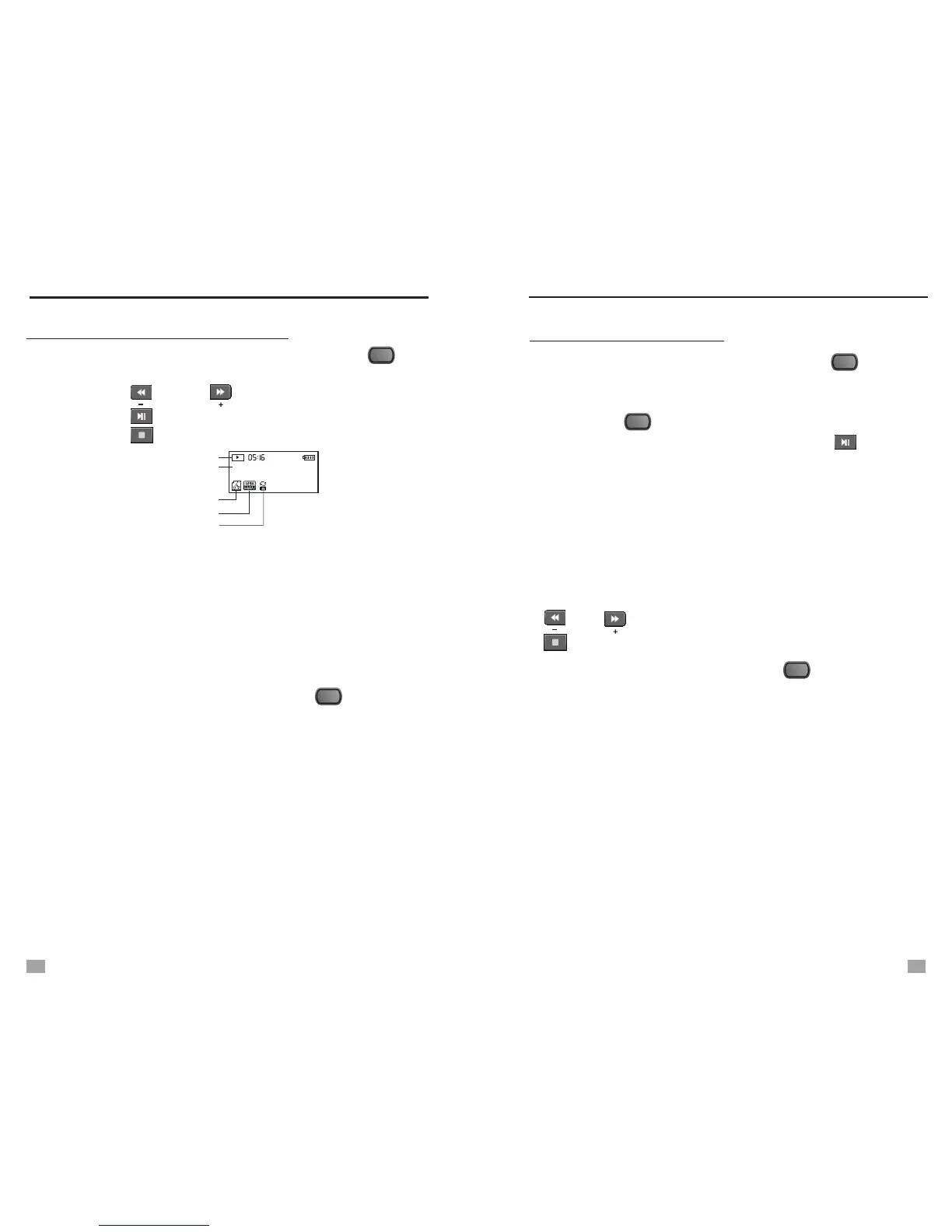
1. Select [Voice] in [Main Menu] and press the < >
button to enter.
2. Press the < > or < > button to select file.
3. Press the < > to play/pause the recorded file;
press the < > button to stop.
Note: While not playing, your can press the Tuning Knob
and select <Local Folder> to find particular recording
file.
- Local folder
- Delete file
- Delete all
- Exit
Repeat Mode
File format and Kbps
Playing Mode
REC005 10/10/30 17:05
Playing Process
005 00:00:57
Working State
4. While playing recording files, press the < > button to
enter the following settings:
- Repeat: Normal, Repeat One, Repeat All, Random
- Tempo rate: -8 to 8 levels
- Exit
Note: Tempo rate “0" is the normal playing speed, positive
number to speed up, negative number to slow down.
MENU
MENU
WORKING WITH EBOOK
1. Select [Ebook] in [Main Menu], press the < > button
to enter.
2. Select your desired file by rotating the Tuning Knob, and
press the < > button to enter below settings:
- Local Folder: Select Particular File, press < > to play.
- Play set: Manual or Auto play file
(1~10 seconds page changing time for auto play)
- Delete file: Delete a single file by rotating the Tuning Knob
and select [Yes] to delete; [No] to exit.
- Delete all: Delete all files by rotating the Tuning Knob to
select [Yes] to delete; [No] to exit.
- Exit
In manual play mode, rotate the Tuning Knob or press the
< >, < > button to change the page; press the
< > button to exit.
3. While reading, your can press the < > button to enter:
- Bookmark Select
- Bookmark Delete
- Bookmark Add
- Exit
Note: Before using Ebook function, please first format your
file to “.txt”, then copy to the [Ebook] folder.
MENU
MENU
MENU
19
20


 To Next Page