DELETE STORED MEMORIES
DELETE SINGLE/ALL MEMORIES
Press the < > button in radio mode, and rotate the
Tuning knob to select either <Delete> or <Delete All>
and press the < > button again to delete single
memory or all memories.
MENU
MENU
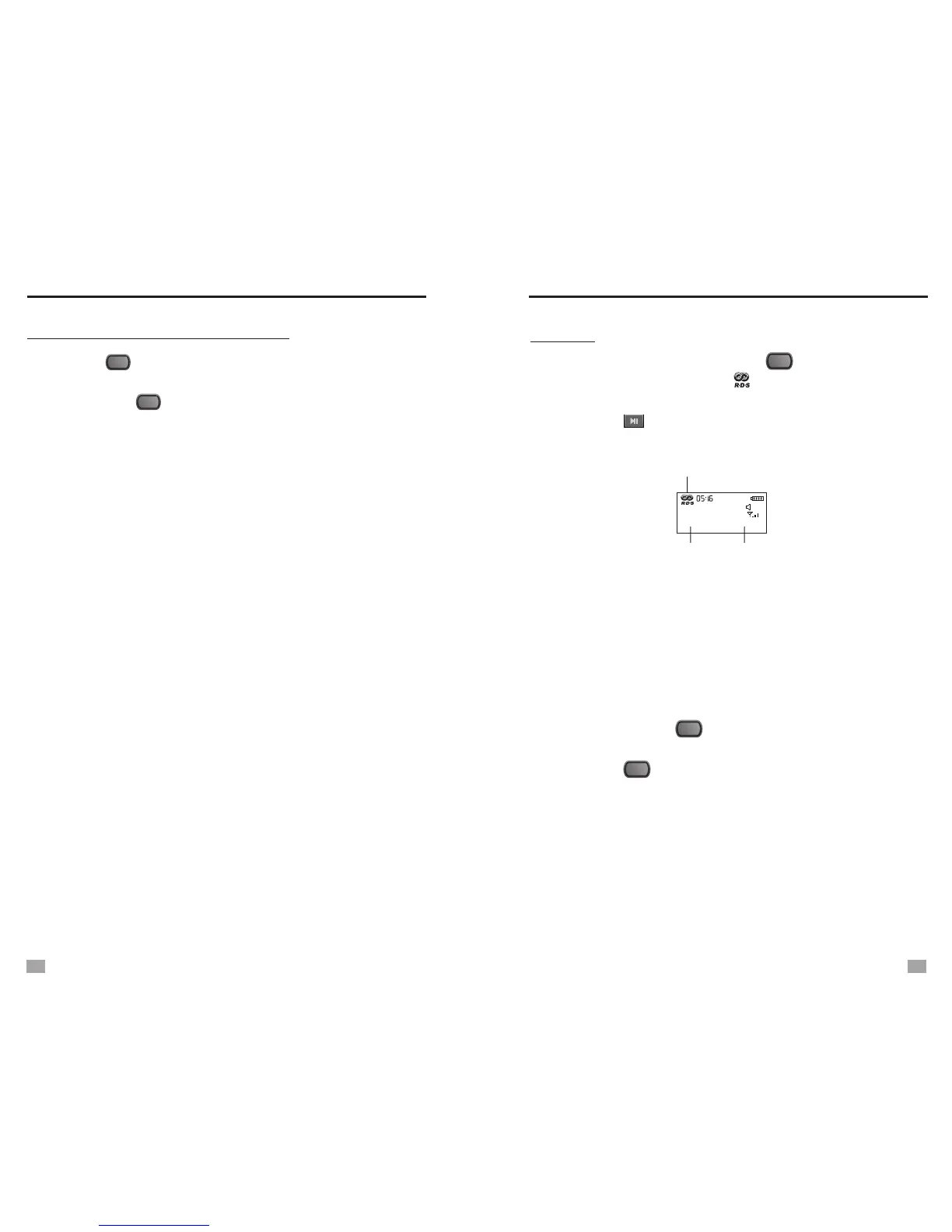
FM RDS
1. Select an FM station, press the < > button and select
<Open RDS>, the symbol < > will show on the
display.
2. Press the < > button to shift the transmitted details
(display on the bottom of the screen).
FM RDS
87.8
M50
MHz
06
PTY
info. SZ87.8
RDS is on
PS
3. Update RDS time:
display, press the < > button and rotate the Tuning
knob to select <Update RDS Time>.
4. Press the < > button and rotate the Tuning knob to
select <Close RDS> to turn RDS off.
Only when the time shows on the
PTY: Program Type
PS: Station Name
RT: Station Text Message (Only display if the station has
transmitted)
CT: Update RDS time (wait about 2-3 minutes to get the
RDS time)
Note: 1. You can receive the RDS information only if the
station has this function.
2. You can get the complete RDS information when
the signal is full. If the RDS signal is weak, please
find another location to receive clear reception.
MENU
MENU
MENU
11
12


 To Next Page