V0220, 35
6.6 Time settings
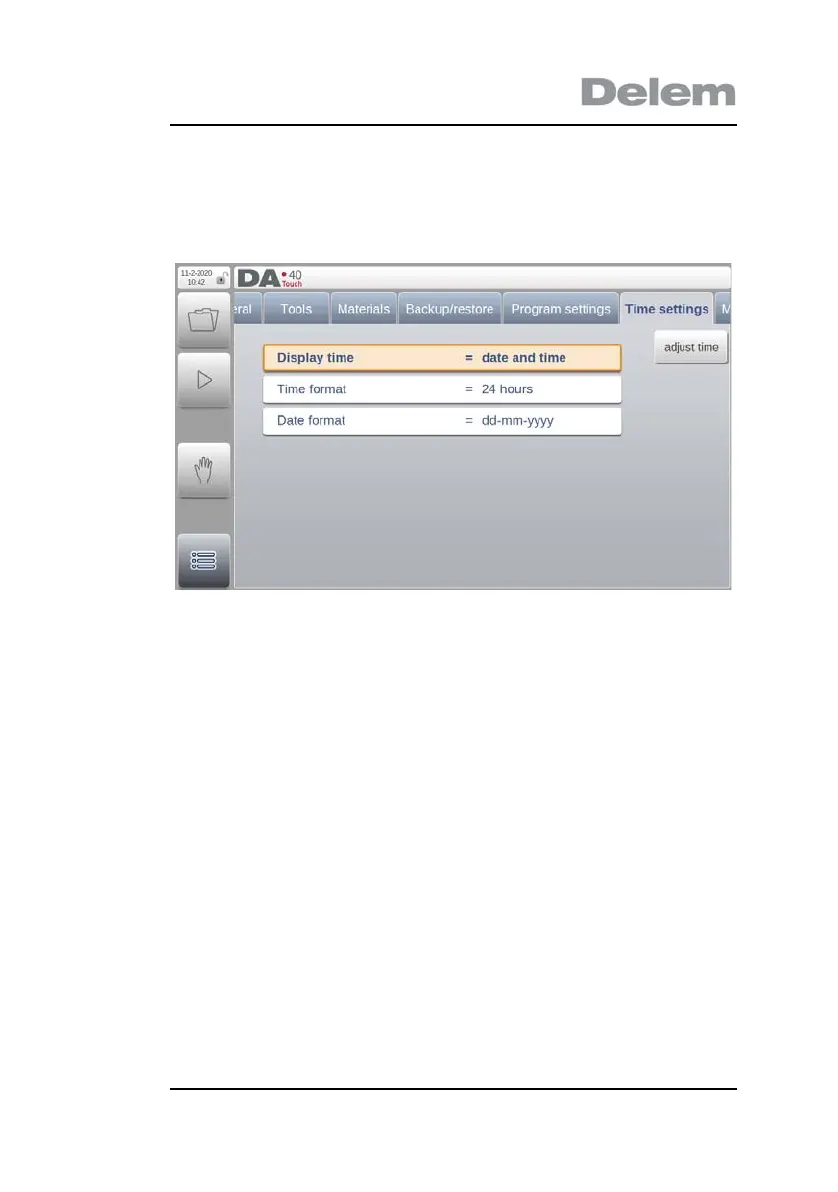
In the ‘Time settings’ tab, the date and time as displayed in the
upper left corner of the screen can be changed.
Display time
Display date and time, time only or no time at all on the
title panel.
Time format
Display the time in 24 hours or 12 hours format.
Date format
Display the date in dd-mm-yyyy, mm-dd-yyyy or yyyy-
mm-dd format.
Adjust time
To adjust the date and time. Adjusting the date and time will also
adjust the date and time of the operating system.
6.7 Maintenance


 To Next Page