V0220, 6
2. Using the DA-40T
2.1 User interface layout
The user interface of the DA-40T is based on the proven Delem
touch interface introduced in the Delem press brake controllers.
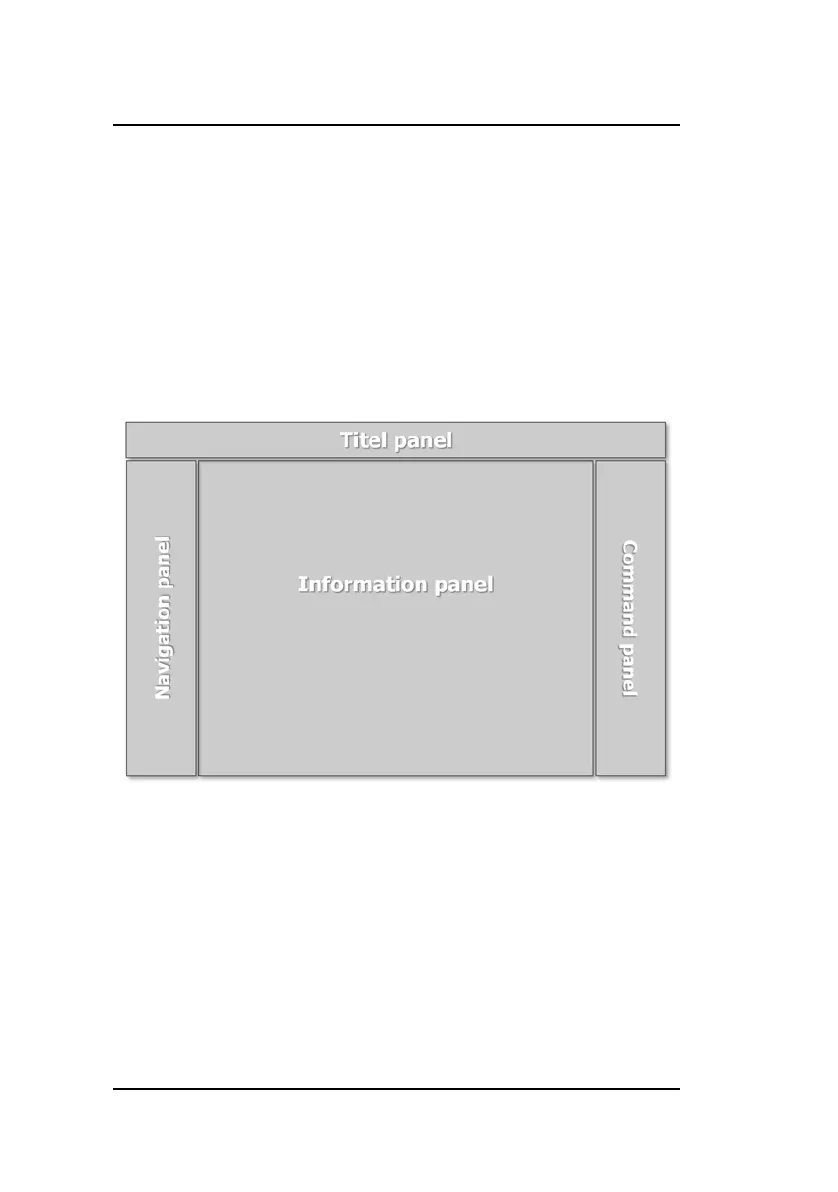
In the picture below the main layout of the screen is explained.
This layout is applicable for all the operating modes for the DA-
40T, making the navigation easy and recognizable.
Navigation panel
• Direct access to all main functions
• Logically sorted to work step by step
• Recognizable in every mode
Title panel
• User level indication
• Product information
• Service row info
• Optional machine indicators


 To Next Page