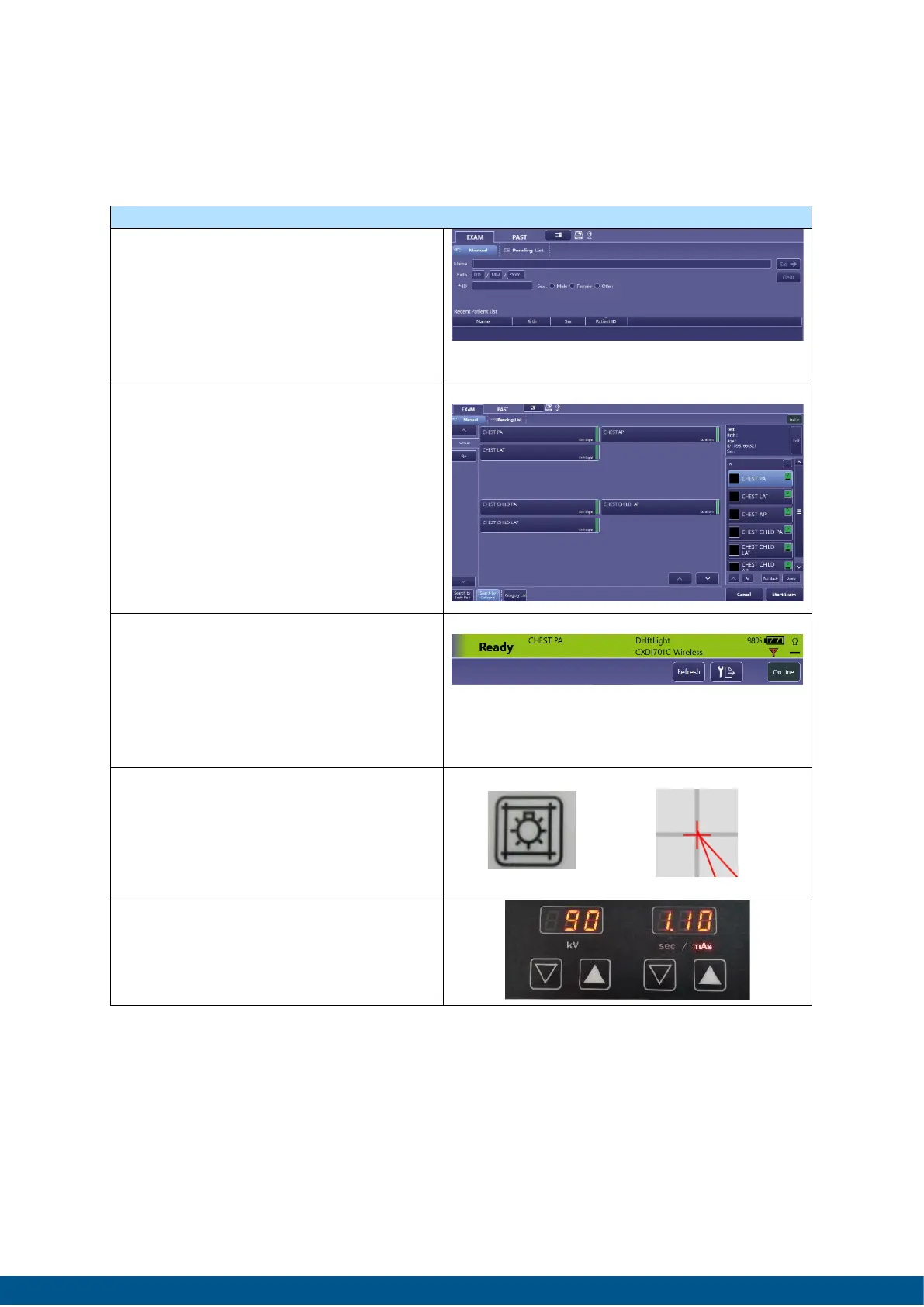
1. Press EXAM TAB. Depending on
the method of entry either
scan the bar- or QR-code or
manual enter the required
patient demographics.
Press Start Exam.
2. Select the required protocol
(CHEST PA)
Press Start.
1. After initialisation a green bar
showing Ready will appear on
the right upper corner. Call in
the participant/patient and
position him/her in the correct
way.
2. Press the collimation light
button and adjust detector
and X-ray height using the
provided laser cross.
3. Select the required kV/mAs
setting on the ATXtreme by
using the preselect buttons.


 To Next Page