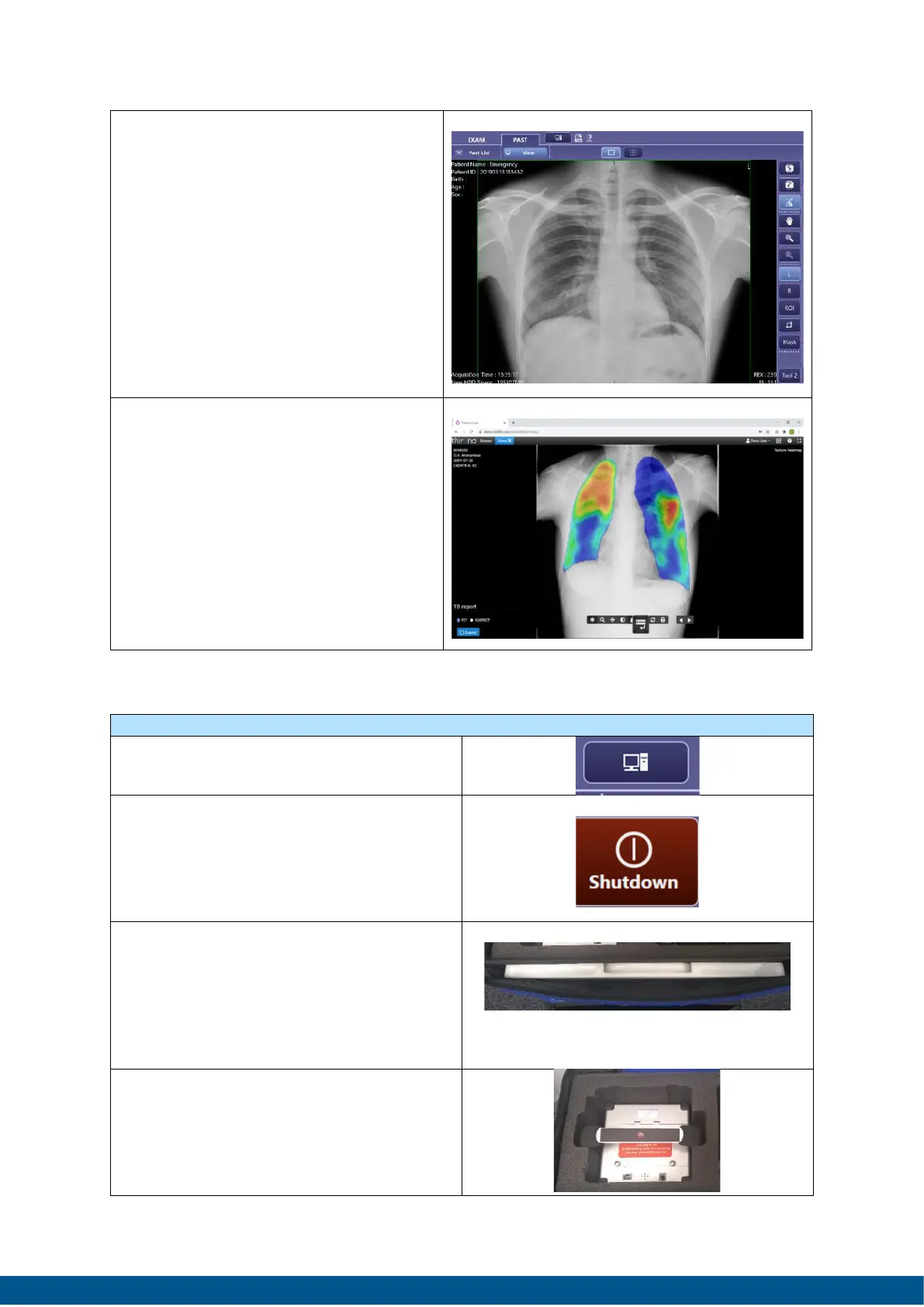
4. Ask the participant/patient to
breath in and hold and
immediate press the expose
button. After a few seconds
the image will appear.
Check image and collimation
adjust ROI if necessary, press
END EXAM.
5. Press CAD4TB button to display
CAD4TB score and heatmap.
1. Shutdown the laptop by pressing
the System Button.
2. Press shutdown Button. The
laptop will shut down. Disconnect
USBs-2-UTP converter and put the
laptop in the front of the
backpack.
3. Power off the CXDI 702c detector
by pressing the power button on
the side for > 3 seconds. Remove
the detector cable and take out
the detector of the stand, put
cable and detector in backpack.
4. Power off by pressing the Power
button. Remove the X-ray unit
from the stand and remove the
battery. Store components in the
backpack.


 To Next Page