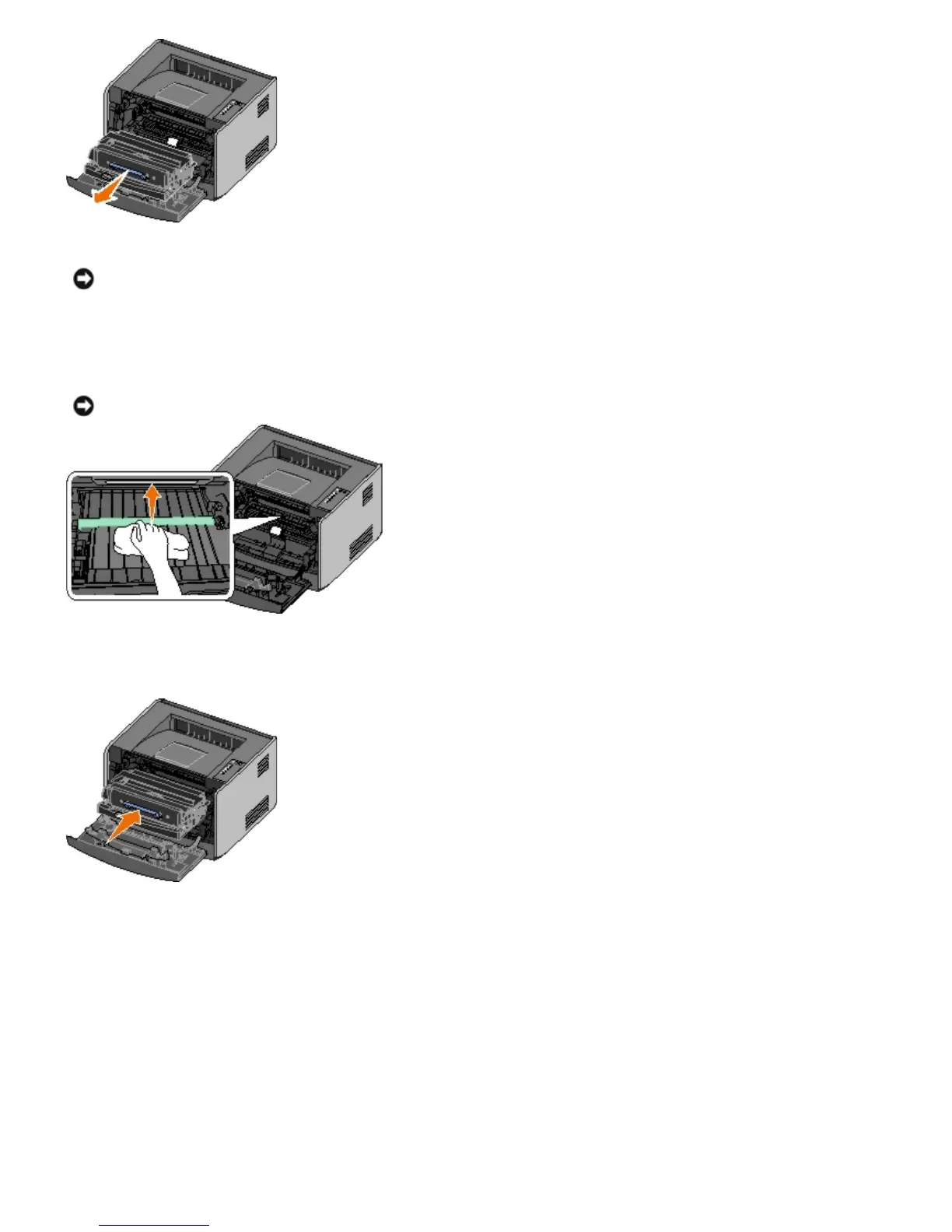
Place the toner cartridge assembly on a flat, clean surface.
4. Locate the glass printhead lens, which is located within the recessed area in the top of the printer.
5. Gently wipe the printhead lens with a clean, dry, lint-free cloth.
6. Install the toner cartridge assembly into the printer by aligning the blue arrows on the guides of the toner cartridge
assembly with the blue arrows on the tracks in the printer and pushing the toner cartridge assembly in as far as it
will go.
7. Close the front cover.
8. Turn on the printer.
NOTICE: Do not leave the toner cartridge assembly exposed to direct light for an extended period of time.
Extended light exposure can cause print quality problems.
NOTICE: Not using a clean, dry, lint-free cloth may result in damage to the printhead lens.



 To Next Page