Service Manual
Chapter 5- TEST AND ADJUSTMENT
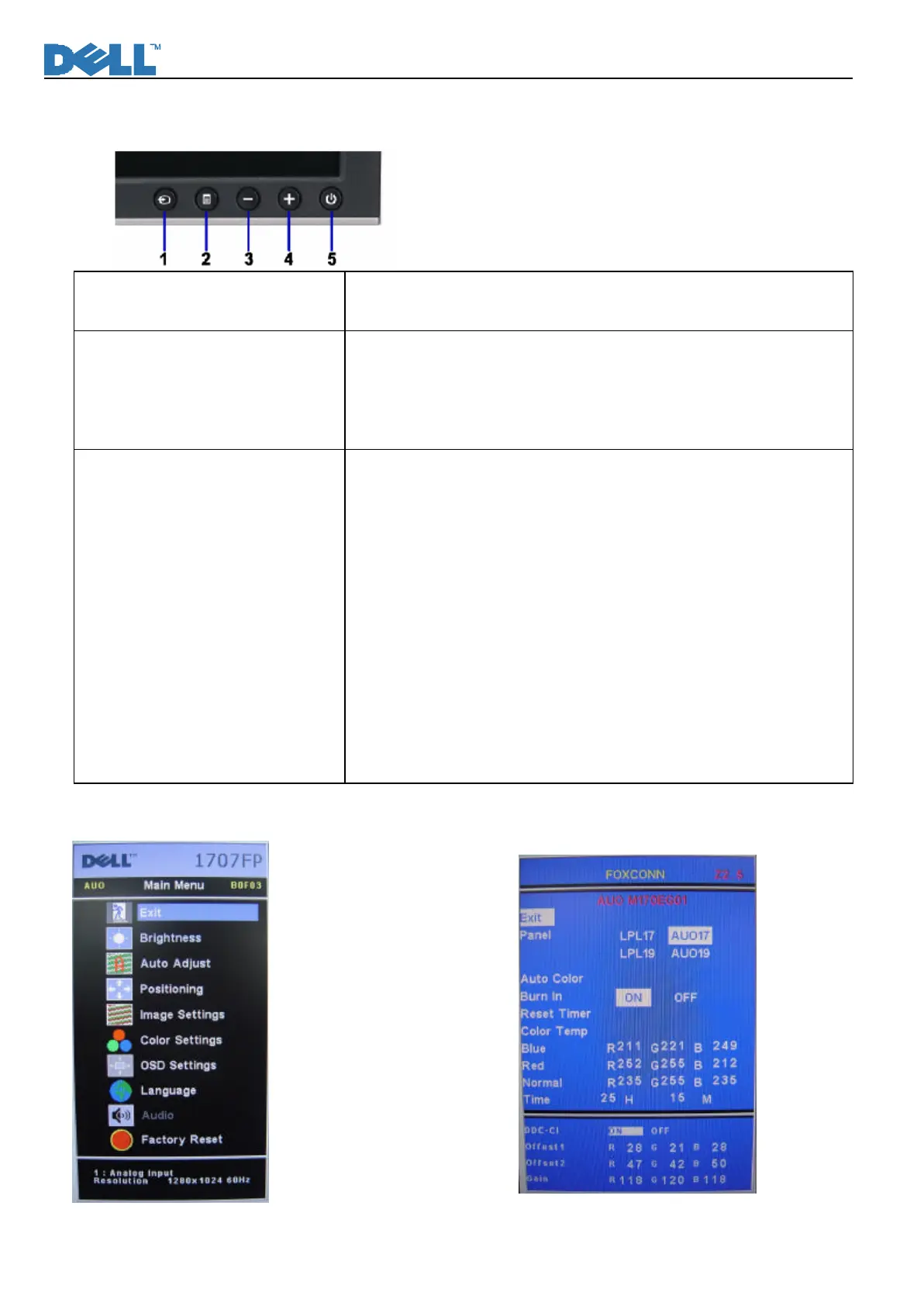
Function key Definitions
Power Switch with power LED
indicator
Power: On/Off, includes power indicator and Power ICON
Green- Active On
Amber- DPMS
Front Panel Controls 1- Input select: Select input signal
2- Menu: Call out OSD Menu and choose
3- (-): symbol molded into button, calls out brightness/Contrast, move
down the highlight bar.
4-(+)symbol molded into button, move up the highlight bar
Factory Modes Keys Function Auto Color Balance
Purpose: Automatically calibrate chip ADC parameter by using chip
internal DAC.
Process: If we want to do “Auto Color Balance” again, please confirm
the following steps.
1) Connect the VGA cable with the standard video pattern generator
and display the pattern with blackest and whitest colors.
2) Press “Power Key”, to power off the monitor.
3) Press “Menu Key” and “Up Key” simultaneously, and then press
“Power Key” to power on the monitor.
4) Press “Menu Key”, choose “Factory Reset”, then “Factory”.
5) Set Burn In Mode item to ON, then execute Auto Color item.
6) After the “Auto Color Balance” process finished, go back to
“Factory Reset” of Main Menu, and press “All Setting” to exit
Factory Menu.
Factory Mode Introduction
Fig.1 Fig.2












 To Next Page