Service Manual
Upgrade Firmware to Serial via Flash Cable by Fox_VISP_Programmer
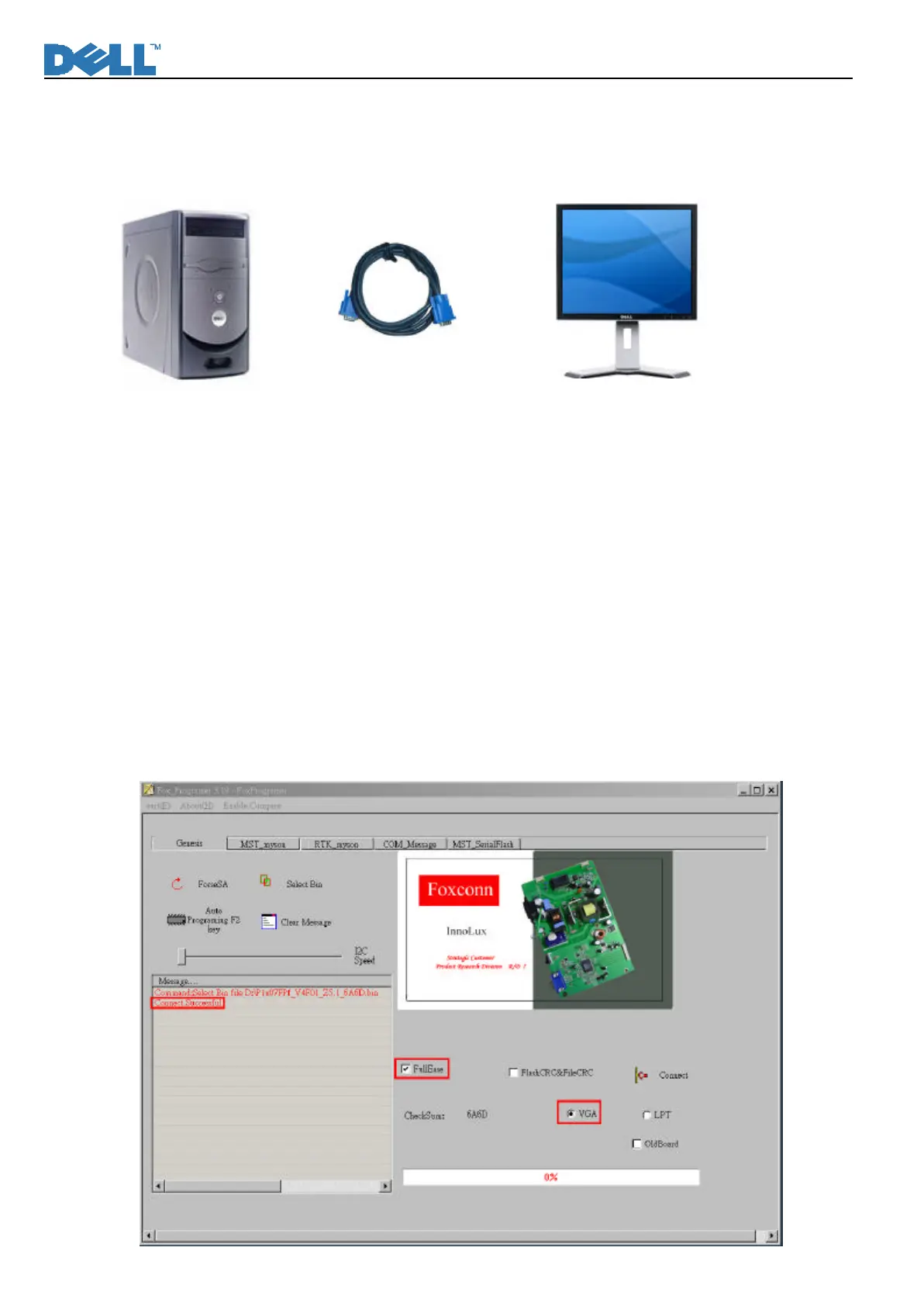
7.1 Connect the monitor and PC via a VGA cable.
7.2 Fox_VISP_Programmer enables users to upgrade the firmware of the monitor directly through the VGA
cable of a PC. Please follow the steps for reprogramming the firmware:
1x07FPf Firmware Reprogram Procedure
Only “DDC SUPPORT” enables the firmware to be flashed through Fox_VISP_Programmer. The
firmware of the monitor cannot be reprogrammed if “DDC NO SUPPORT”.
1. Select buttons:
Ø Select “VGA” and “Full Erase” buttons.
Ø “Flash CRC&& File CRC” is optionally checked.
Ø Click “Connect” to check if the connection is satisfactory between the monitor and PC.
l If the connection is ready, “Connect Successful” will be shown in the “Message” text window; otherwise,
“Connect Fail” will be displayed.












 To Next Page