Service Manual
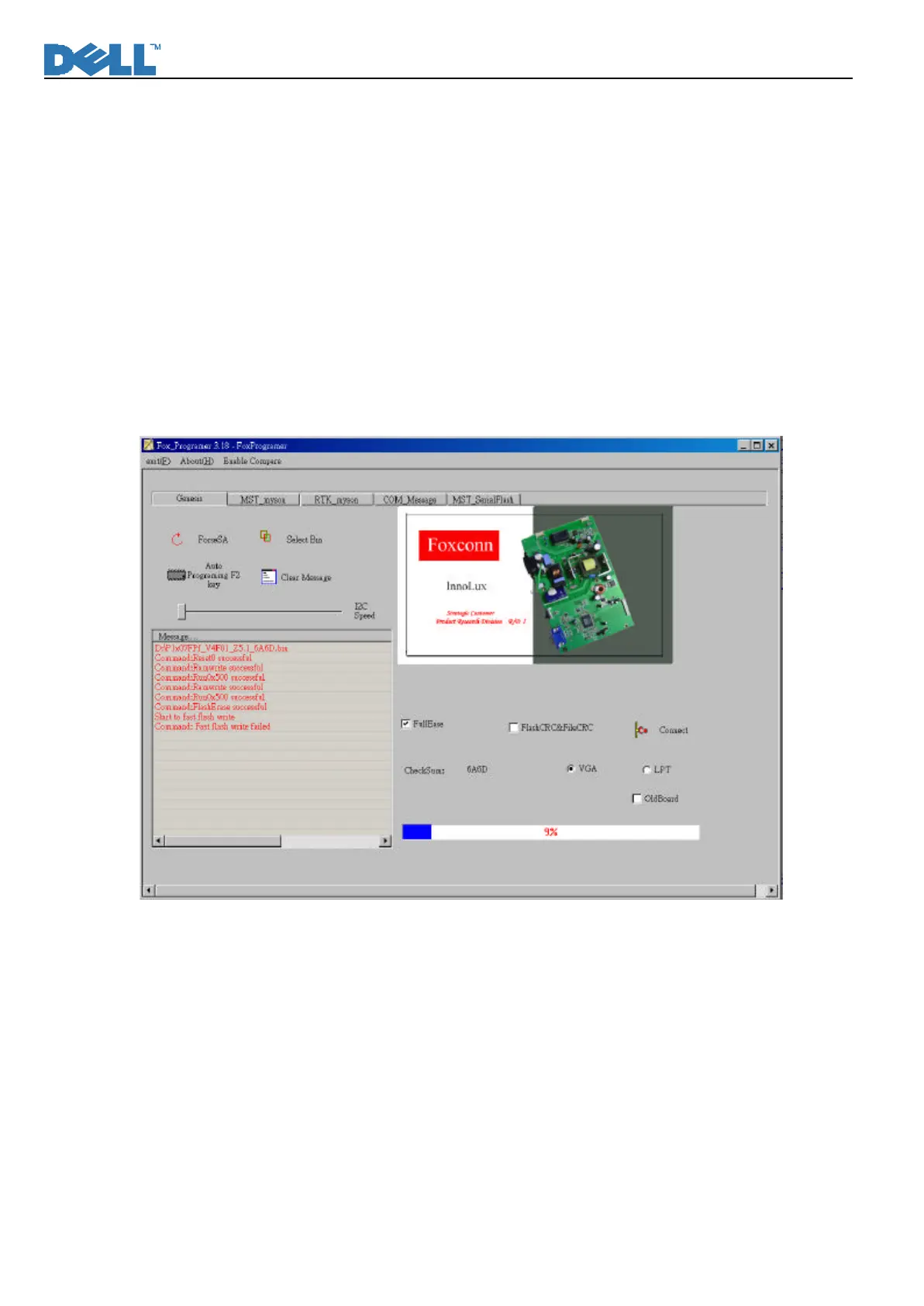
2. Click “Select Bin” icon to choose P1x07FPf_V4F01_Z5.1_6A6D.bin from the PC/Notebook:
The path of the selected binary file will be shown in the “Message” text window. Meanwhile, the checksum of
the binary file will be calculated and displayed.
Click the “Auto Programming F2 key“ icon:
3. (Reprogramming Firmware Failure)
Ø If the firmware is fail to be reprogrammed, “Command: Reset0 Failed”, “Command: Ramwrite Fail”,
“Command: Flash Erase Fail”, or “Command: Fast Flash Write Fail” will be shown in the “Message” text
window.
Ø The “fail-to-reprogram” condition will make the motherboard tick for several seconds.
l Under failure condition, VGA cable or/and power cord are required to be checked.












 To Next Page