Service Manual
Power saving 1. Mode:1280×1024@60Hz
2. Pattern: full white
3. Brightness: Max.
4. Contrast: Default
5. Check power consumption at each modes
State Power Consumption LED color
Normal
<35W
green
Stand By
<3W
amber
Power Key Off
<1W
no
Chroma signal generator and
Power meter
AC input:230V/50Hz
Panel Flicker check
1. Mode:1280×1024@60Hz
2. Set Brightness& Contrast to default value (75%)
3. Do “Auto Adjustment”
4. Shut down PC to check whether there’s flicker on the center of the
picture.
Chroma Signal Generator & PC
DC 12V/1.5A
Output test
1. Use Sound bar to do the test
2. Install Sound bar,Audio in OSD from gray to white, Sound output
3. Plug off VGA cable, enter power saving mode, Via OSD, Enable
Audio on during power saving, ensure whether Audio ON/OFF
works normally.
4. Without Sound bar,Audio in OSD grayed-out
??
Sound bar
????
DELL
AS501 DC IN
:
12V/1A
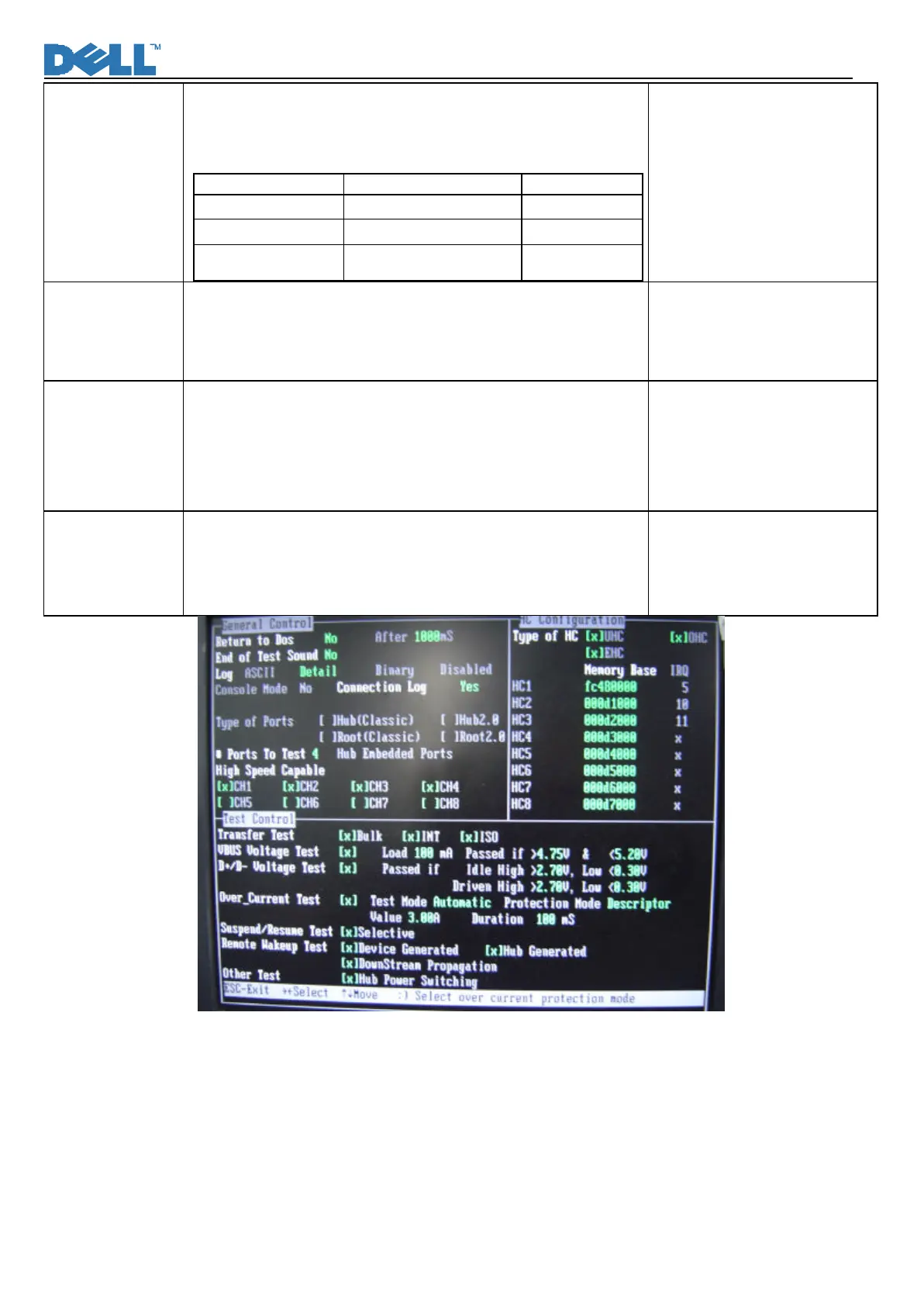
USB2.0 Test 1. Use UPT2,USB2.0 Port Tester to do the USB2.0 Function test
2. Please ensure four downstream ports must be tested.
3. as for the test programmer parameter setting, please refer to the
attached.
使用儀器
:LeColn
UPT2 USB2.0 Port Tester
及
DOS
系統
的
PC(
須安裝測試軟體
)












 To Next Page