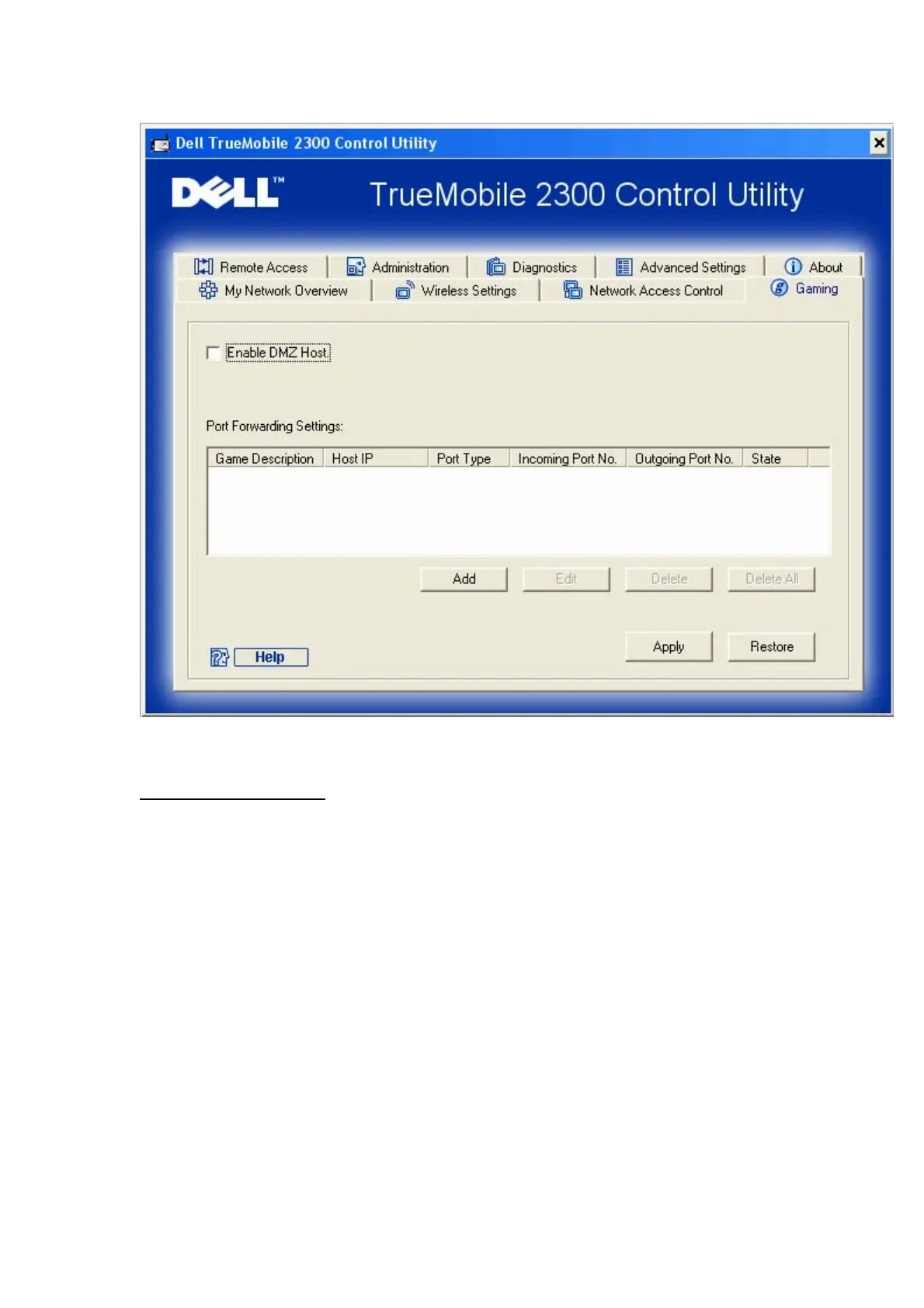
Port Forwarding Settings
Port forwarding allows you to configure your router to accept unsolicited data through a specfic
port. The ports and protocol type (TCP, UDP, or both) will depend on what gaming service you
are using.
To enable Port Forwarding, perform the following steps:
1. Click the Add button.
The Gaming: Add a Record window appears.
2. Type the desired name or description in the Game Description field.
3. Type the IP address of the device (for example, desktop computer) for gaming in the
Computer IP for gaming field.
4. Select a transport layer protocol from the Protocol Type list. The options listed here
are TCP (Transmission Control Protocol), UDP (User Datagram Protocol), and both.










 To Next Page