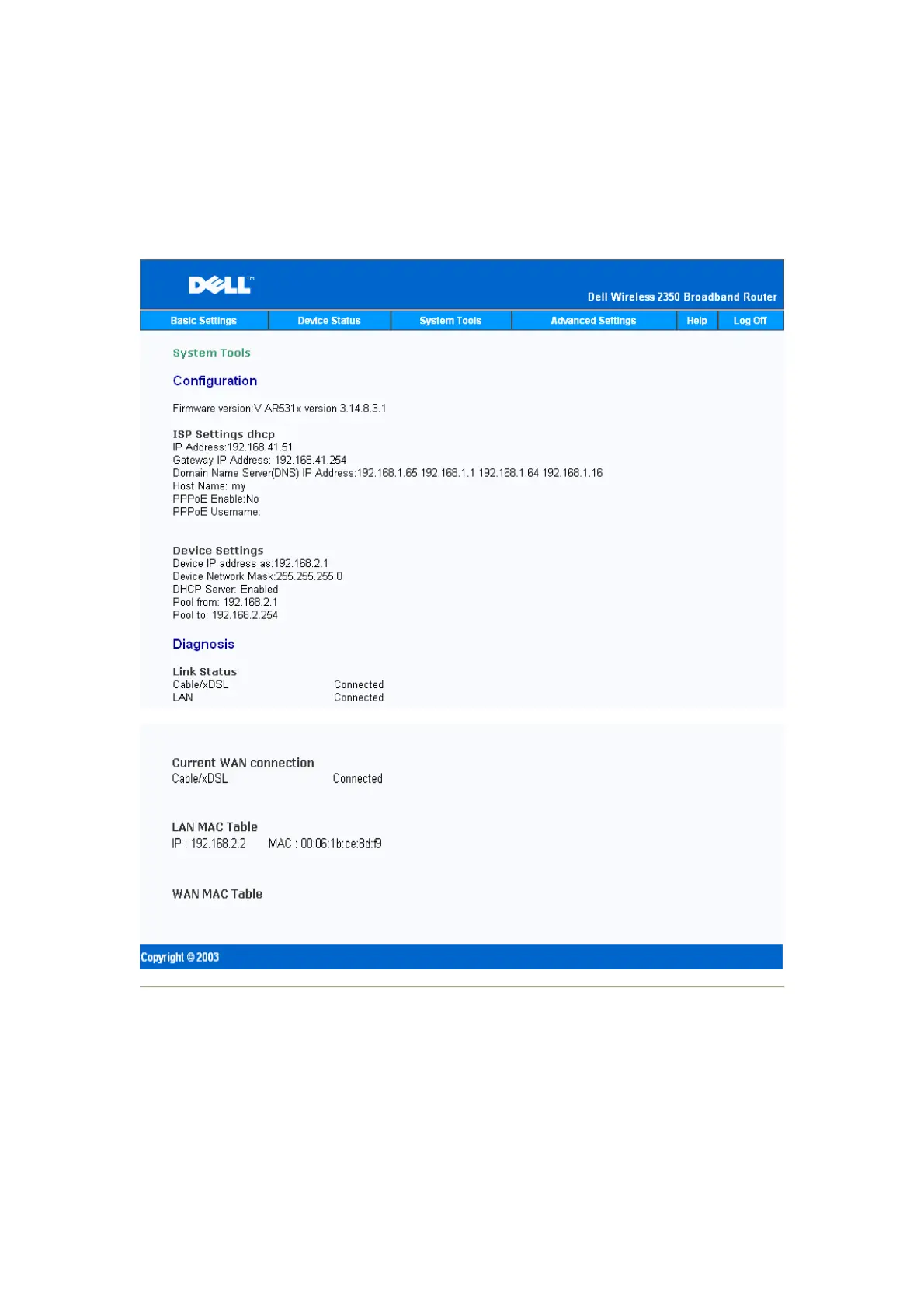
The Diagnostic section shows the current connections for your network. Diagnostic settings
include the ISP status, link status, current WAN connection, LAN MAC table, and WAN MAC
table.
System Diagnostic
Load Default Settings
The Load Default Settings page allows you to reload the factory default configurations that
came with the device. When this option is used, the default IP address is reset to the factory
default value (192.168.2.1). This is equivalent to pressing and holding the Reset button on the










 To Next Page