EasyManua.ls Logo

Dell 2350D - Page 101

Dell 2350D
181 pages
Print Icon
To Next Page IconTo Next Page
To Previous Page IconTo Previous Page
Loading...
2.
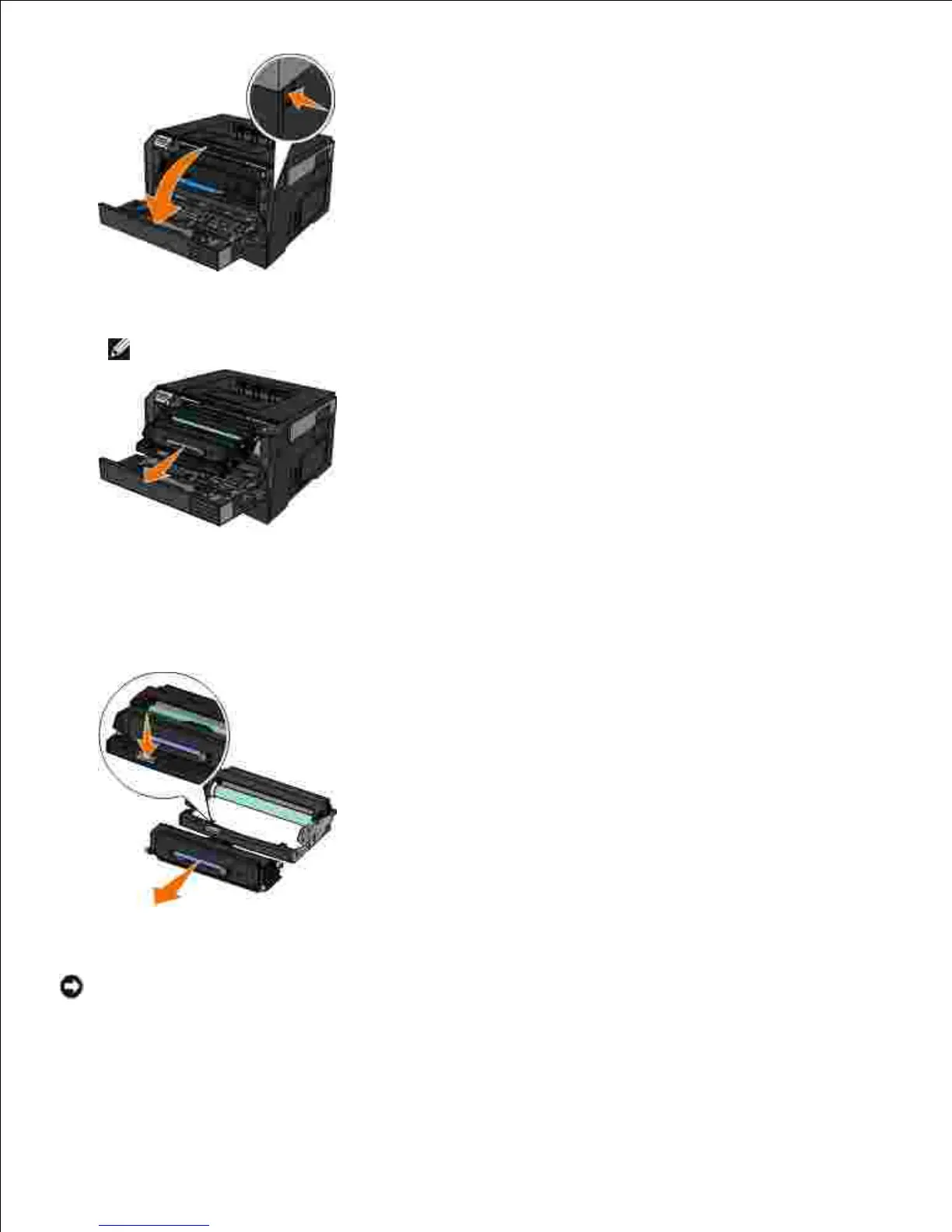
Pull the toner cartridge assembly out of the printer by pulling on the toner cartridge handle.
NOTE: Do not press the button on the toner cartridge assembly.
3.
Place the toner cartridge assembly on a flat, clean surface.4.
Press the button on the base of the toner cartridge assembly, and then pull the toner cartridge up and
out using the handle.
5.
Unpack the new imaging drum.
NOTICE: Do not leave the imaging drum exposed to direct light for an extended period of time.
Extended light exposure can cause print quality problems.
6.
Install the toner cartridge by aligning the white rollers on the toner cartridge with the white arrows on
the tracks of the new imaging drum and pushing the toner cartridge in as far as it will go. The cartridge
7.

Table of Contents

Other manuals for Dell 2350D

Related product manuals