NOTICE: When replacing a toner cartridge assembly, do not leave the new cartridge exposed to
direct light for an extended period of time. Extended light exposure can cause print quality
problems.
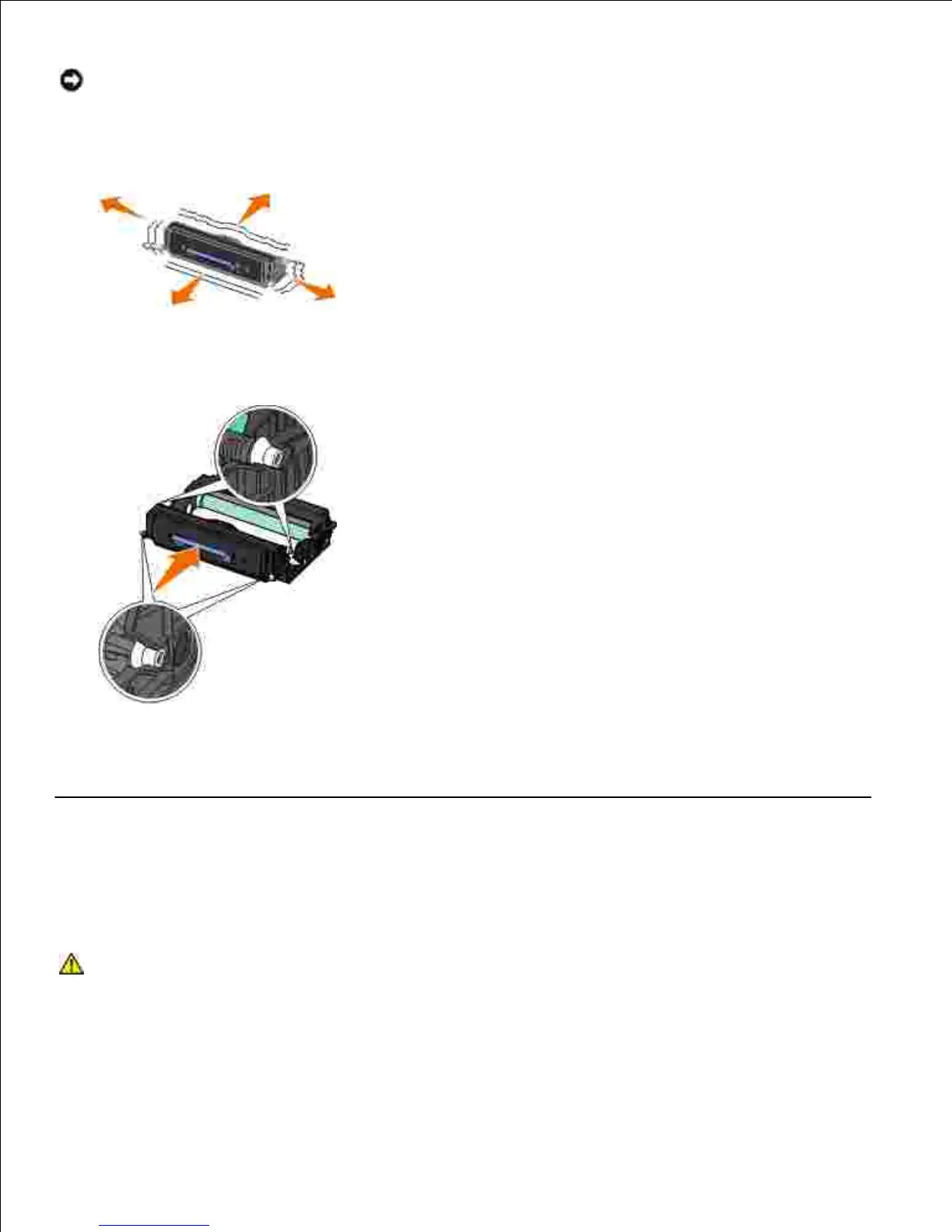
Rotate the cartridge in all directions to distribute the toner.5.
Install the new toner cartridge assembly by aligning the white rollers on the toner cartridge with the
arrows on the tracks of the imaging drum kit and pushing the toner cartridge in as far as it will go. The
cartridge clicks into place when correctly installed.
6.
Close the front cover.7.
Cleaning the Exterior of the Printer
Make sure that the printer is turned off and unplugged from the wall outlet.
CAUTION: To avoid the risk of electric shock, unplug the power cord from the wall
outlet and disconnect all cables to the printer before proceeding.












 To Next Page