EasyManua.ls Logo

Dell 2350D - Page 60

Dell 2350D
181 pages
Print Icon
To Next Page IconTo Next Page
To Previous Page IconTo Previous Page
Loading...
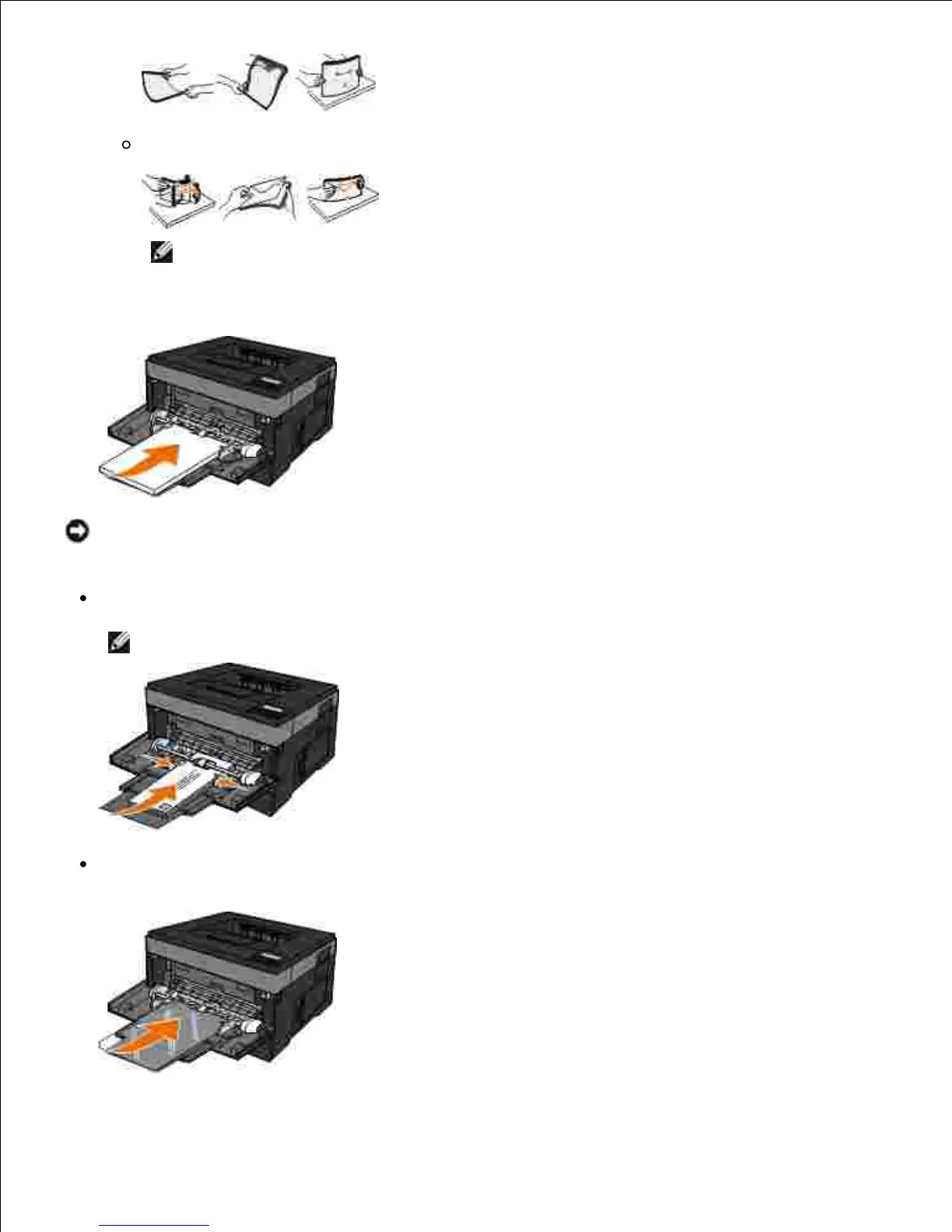
Flex a stack of envelopes back and forth to loosen them. Straighten the edges on a level surface.
NOTE: Do not fold or crease envelopes.
Hold both sides of the print media close to the multipurpose feeder, and load it into the printer.4.
NOTICE: Do not force the print media into the feeder. Forcing the media causes jams.
Insert envelopes with the flap side facing down and with the stamp area as shown.
NOTE: For best performance do not use envelopes that have postage stamps attached.
Hold transparencies by the edges, and avoid touching the print side. Oil from your fingers that is
deposited on the transparency can affect print quality.

Table of Contents

Other manuals for Dell 2350D

Related product manuals