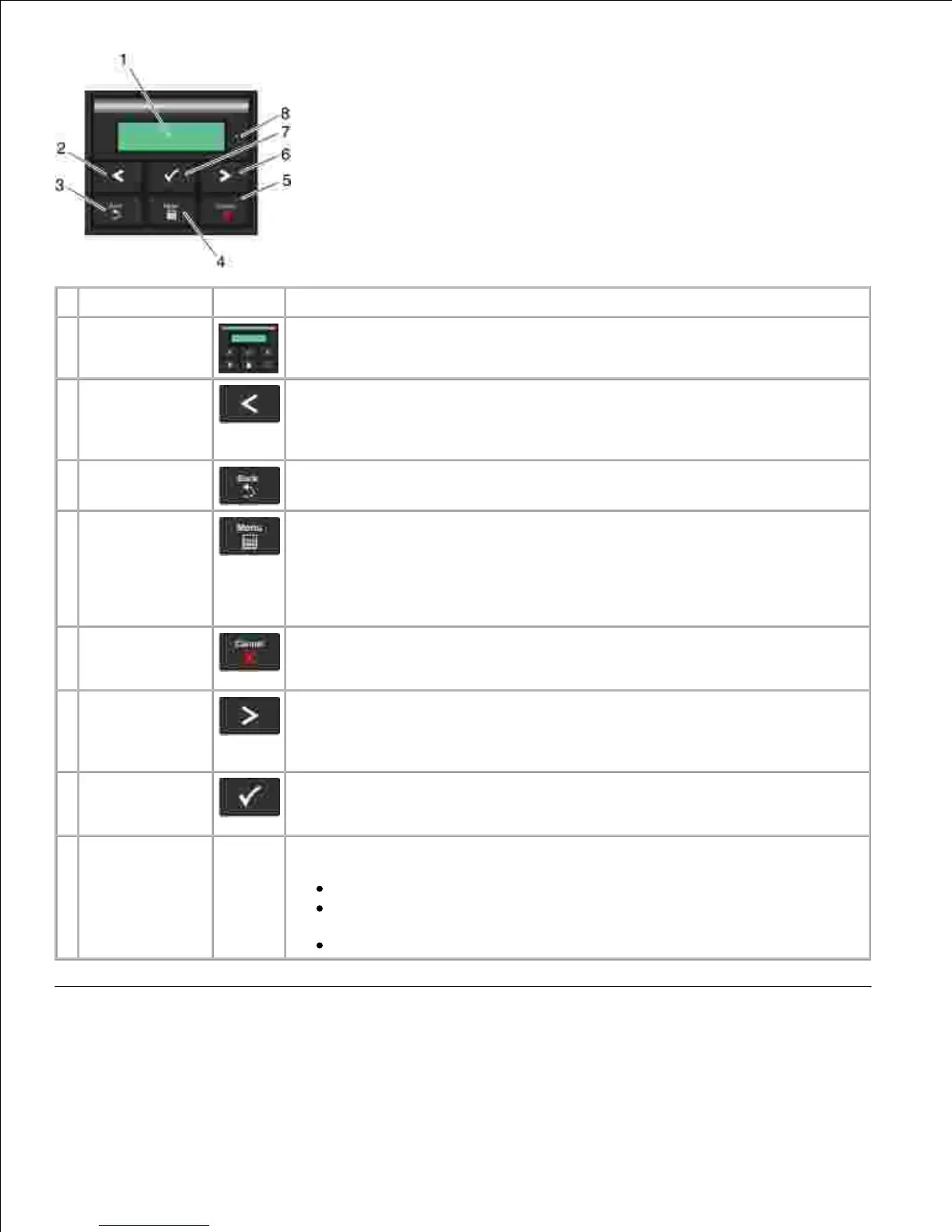
View the number of copies to be printed as well as error codes.
Scroll through menus, submenus, or settings on the display.
Move to the previous or next option. Each press moves one item in the list
or to a different setting for a menu item.
Return to the previous screen.
Open the menu. Pressing the menu button while in the menus will return the
user to the top level menu screen.
NOTE:
The menus are available only when the printer is in the Ready state.
Cancel a print job in progress.
Exit a menu or submenu, and return to the default screen.
Scroll through menus, submenus, or settings on the display.
Move to the previous or next option. Each press moves one item in the list
or to a different setting for a menu item.
Select a menu or submenu item that appears on the display.
Submit a chosen value or setting for the printer.
Indicate the printer status:
Solid Green-The printer is idle or at Ready prompt.
Flashing Green-The printer is warming up, processing data, or
printing.
Solid Amber-Operator intervention needed.












 To Next Page