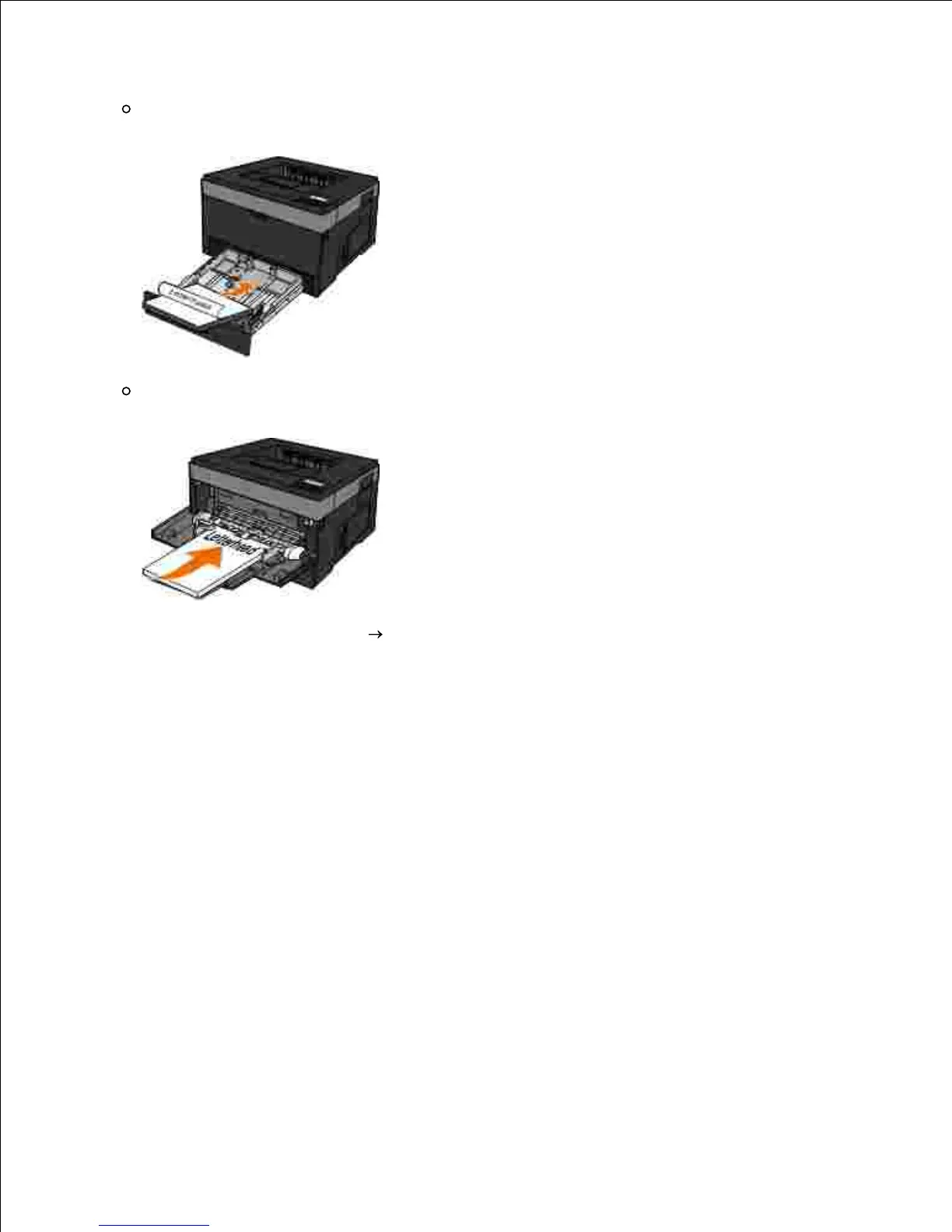
Tray 1 or 2-Load the letterhead with the print side facing down. The top edge of the sheet with
the logo should be placed at the front of the tray.
Multipurpose feeder-Load the letterhead with the print side facing up and the top of the sheet
entering the printer first.
1.
With your document open, click File Print.2.
Click Properties (or Options, Printer, or Setup, depending on the application or operating system).
The Printing Preferences dialog box opens.
3.
Click the Paper tab.4.
Select Letterhead from the Paper Type drop-down list.5.
Select the appropriate paper size and tray.6.
Click OK.7.
Click OK on the Print window to send the job to print.8.












 To Next Page