14 A Tour of Your Computer
www.dell.com | support.dell.com
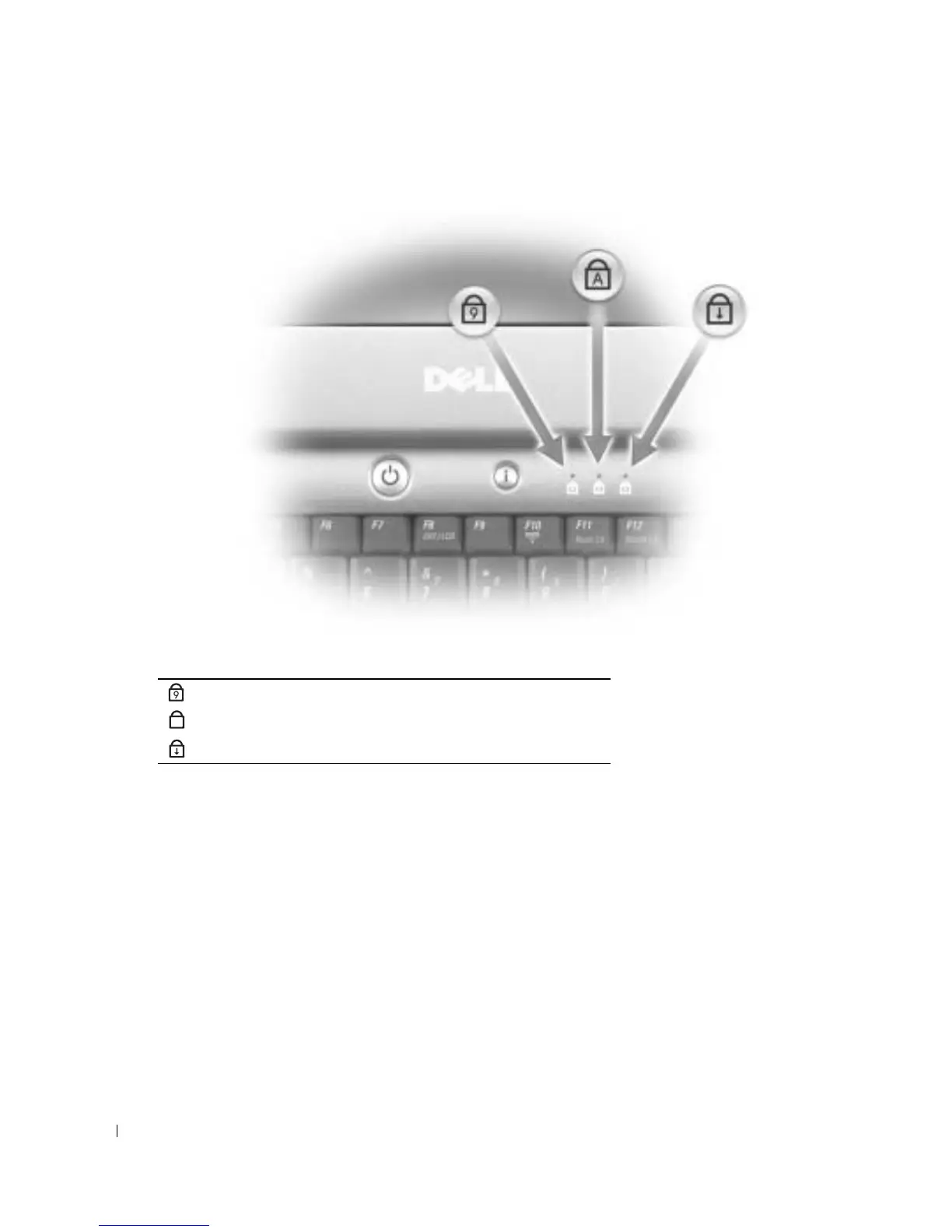
KEYBOARD STATUS LIGHTS
The green lights located above the keyboard indicate the following:
K
EYBOARD —
The keyboard includes a numeric keypad as well as the Microsoft
®
Windows
®
logo key. For
information on supported key combinations, see page 38.
SPEAKERS — To adjust the volume of the integrated speakers, use the key combinations (see
page 38)
for
volume control.
Turns on when the numeric keypad is enabled.
Turns on when Caps Lock is enabled.
Turns on when the scroll lock function is enabled.
9
A










 To Next Page