90 Adding and Replacing Parts
www.dell.com | support.dell.com
3
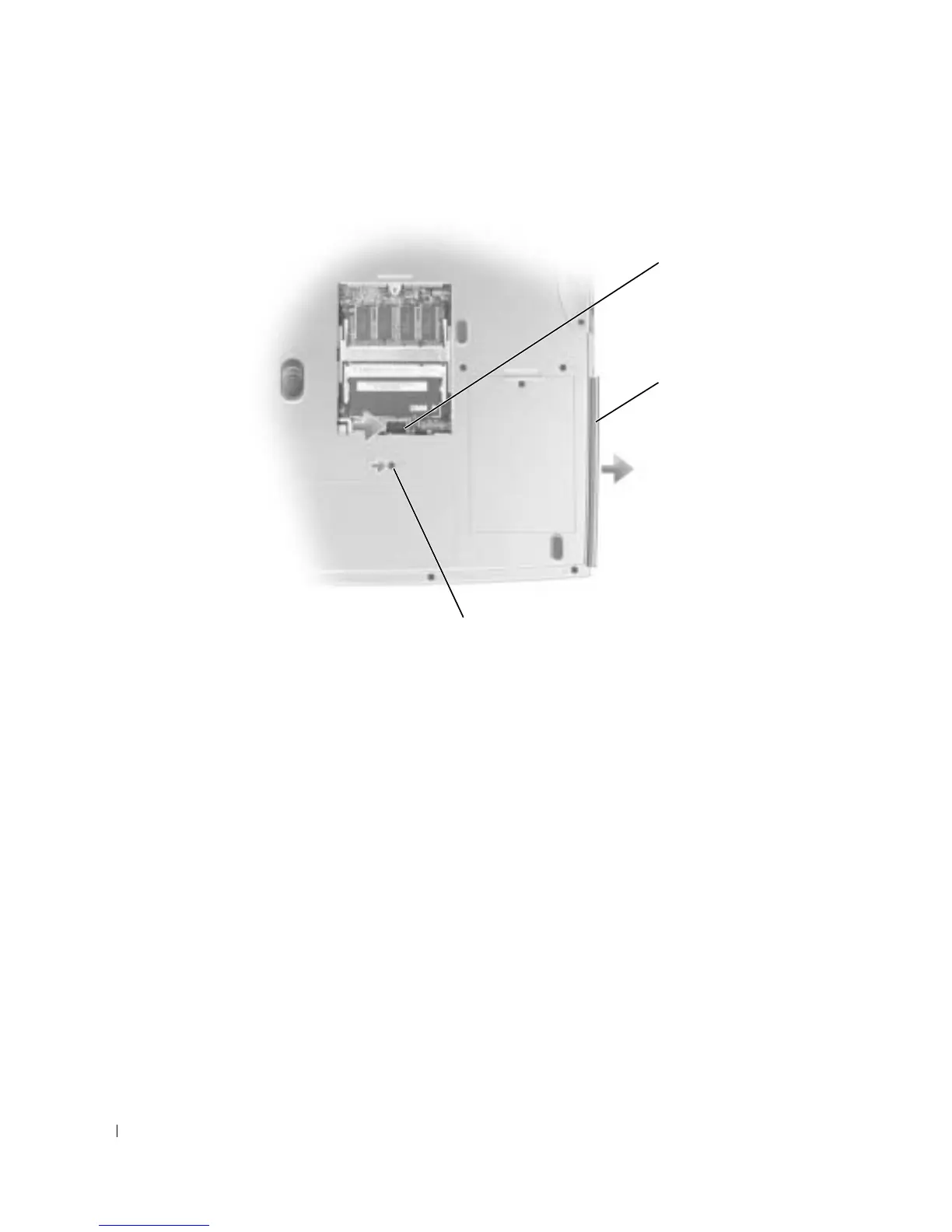
Remove the screw labeled "O" next to the memory module cover.
4
Press the lever next to the memory module connectors in the direction of the arrow on the
lever (towards the drive) to release the drive.
5
Pull the drive out of the bay.
6
Slide the new drive into the bay until the drive is fully seated.
7
Replace the screw that you removed in step 3.
8
Replace the memory module cover and tighten the captive screw.
Keyboard
1
Complete the instructions in "Before You Begin" on page 79.
2
Use a small flat-blade screwdriver to lift the notched right-side edge of the hinge cover, and
pry the cover loose from the hinges and bottom case.
screw
lever
optical drive









 To Next Page