Adding and Replacing Parts 89
7
Replace the cover and tighten the screw.
Optical Drive
1
Complete the instructions in "Before You Begin" on page 79.
2
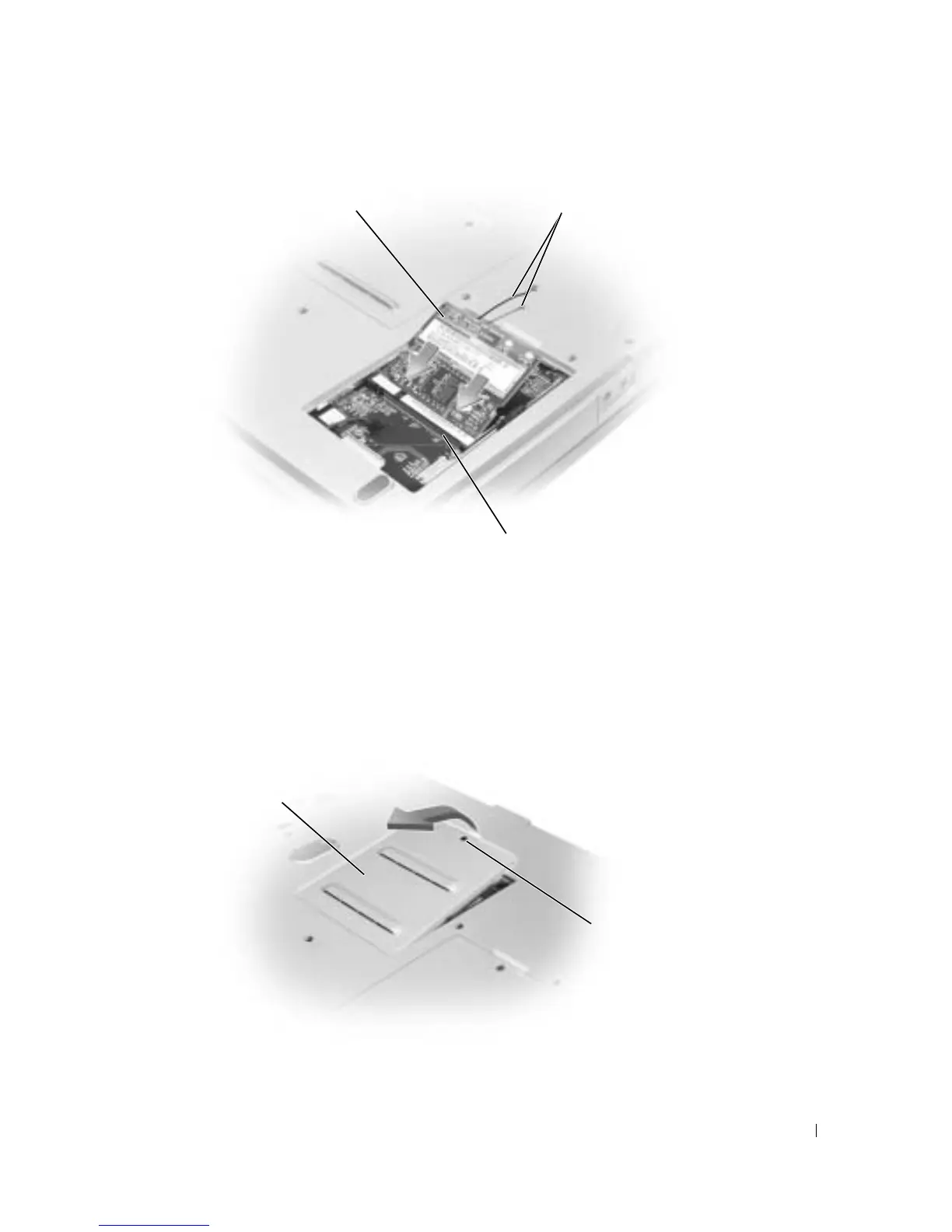
Turn the computer over, loosen the captive screw on the memory module cover, and lift the
cover away from the computer.
Mini PCI card
Mini PCI card connector
antenna cables
captive screw
memory
module cover









 To Next Page