Setting Up a Home and Office Network 49
6
Click
Add
.
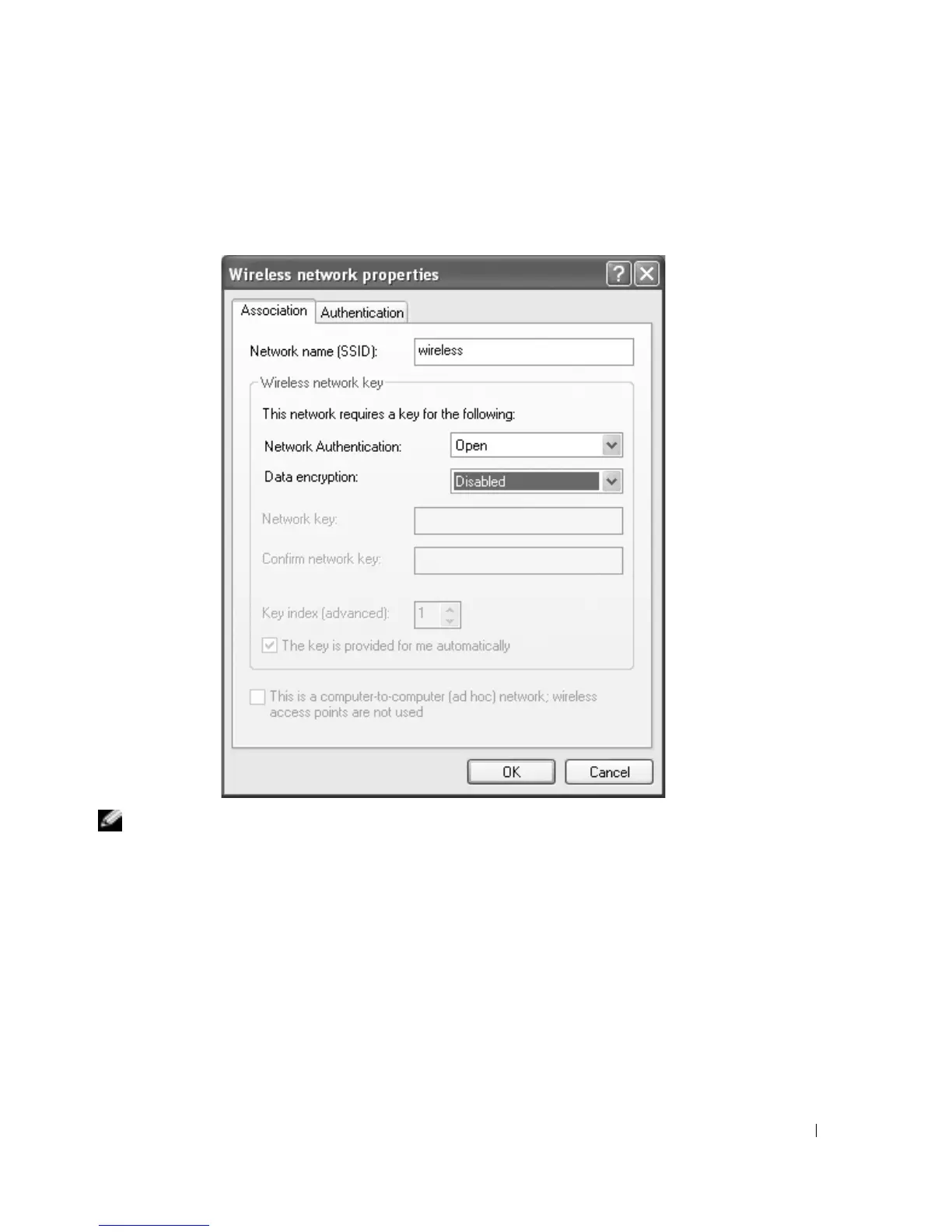
The
Wireless network properties
window appears.
NOTE: If you are using a WPA-protected network, and the Association tab does not give you the option
to select WPA, download the WPA wireless security update from the Microsoft support site.
7
Enter the name of your network in the
Network name (SSID)
field.
8
If you do not need to configure security settings
, go to step 9.
If you choose to configure security settings (optional)
, go to "Configuring Security Settings
(Optional)" on page 50.










 To Next Page