84 Adding and Replacing Parts
www.dell.com | support.dell.com
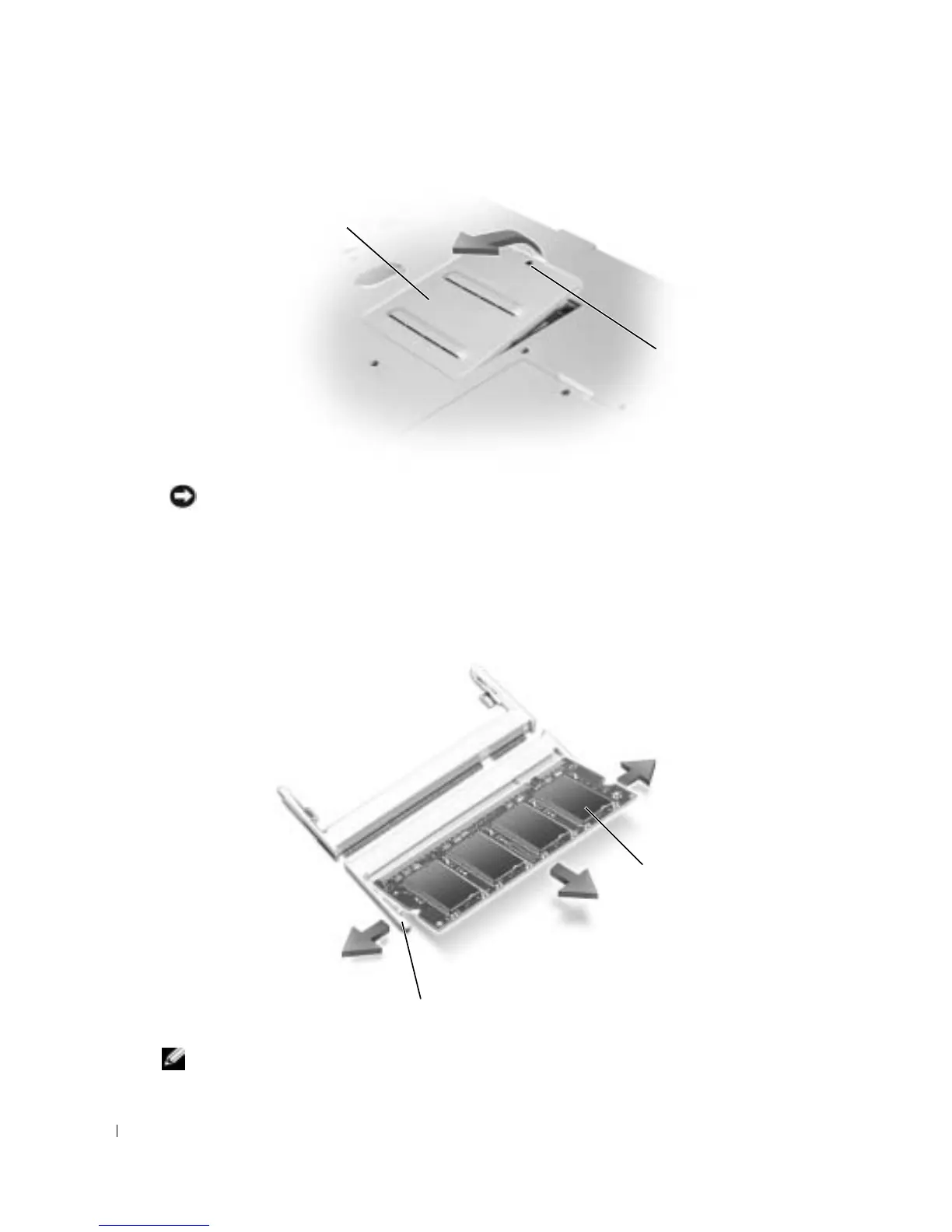
NOTICE: To prevent damage to the memory module connector, do not use tools to spread the memory-
module securing clips.
3
If you are replacing a memory module, remove the existing module:
a
Use your fingertips to carefully spread apart the securing clips on each end of the memory
module connector until the module pops up.
b
Remove the module from the connector.
4
Ground yourself and install the new memory module.
NOTE: If the memory module is not installed properly, the computer may not boot properly. No error
message indicates this failure.
captive screw
memory
module cover
memory module
securing clips (2 per connector)









 To Next Page