86 Adding and Replacing Parts
www.dell.com | support.dell.com
3
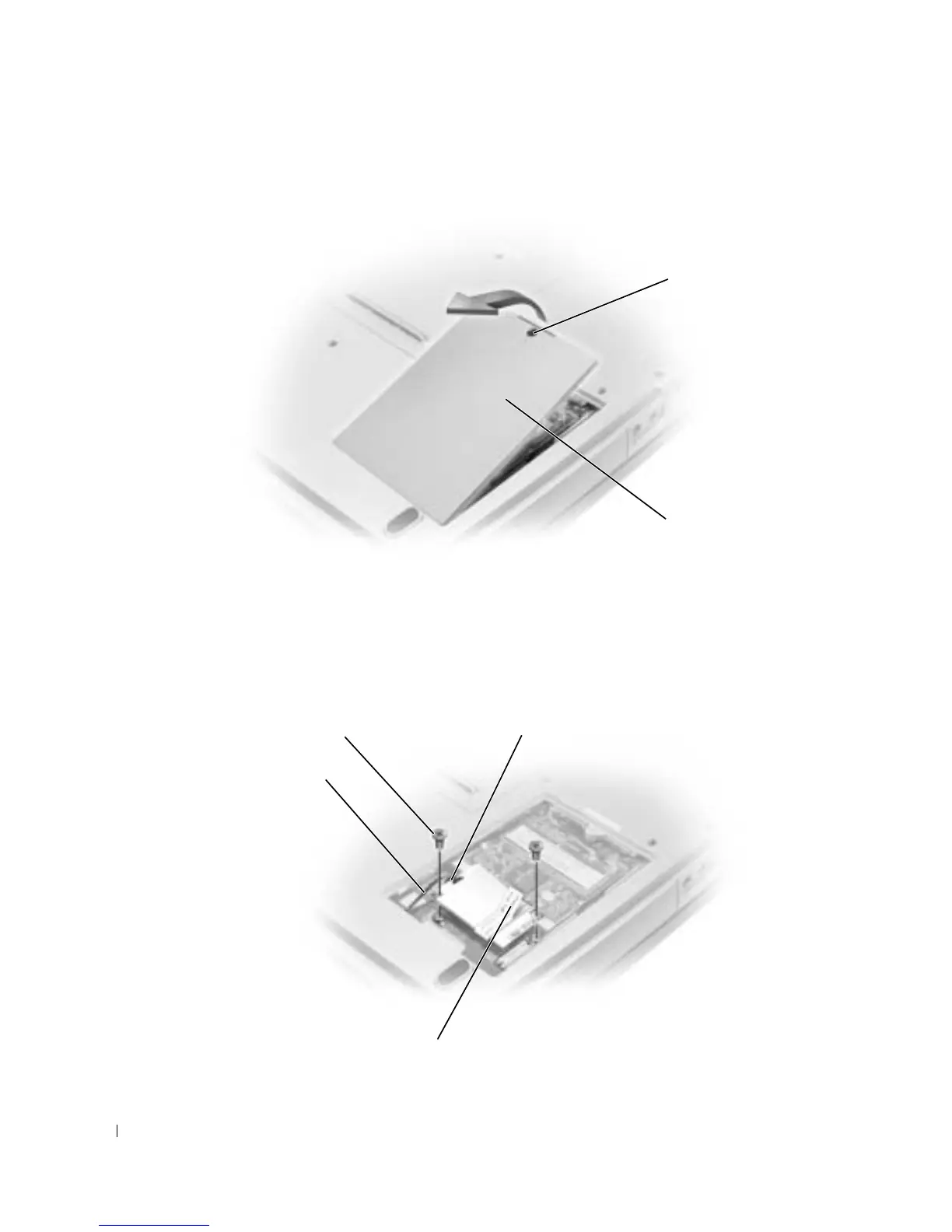
Place your finger under the cover at the indentation and lift the cover open.
4
If a modem is not already installed, go to step 5. If you are replacing a modem, remove the
existing modem:
a
Remove the screws securing the modem to the system board, and set them aside.
b
Pull straight up on the attached pull-tab to lift the modem out of its connector on the
system board, and disconnect the modem cable.
5
Connect the modem cable to the modem.
captive screw
modem/Mini PCI
card cover
modem cable connector
modem cable
pull-tab
screws (2)









 To Next Page