Clearing Paper Jams
Dell 7330 Mono Laser Printer
6-36
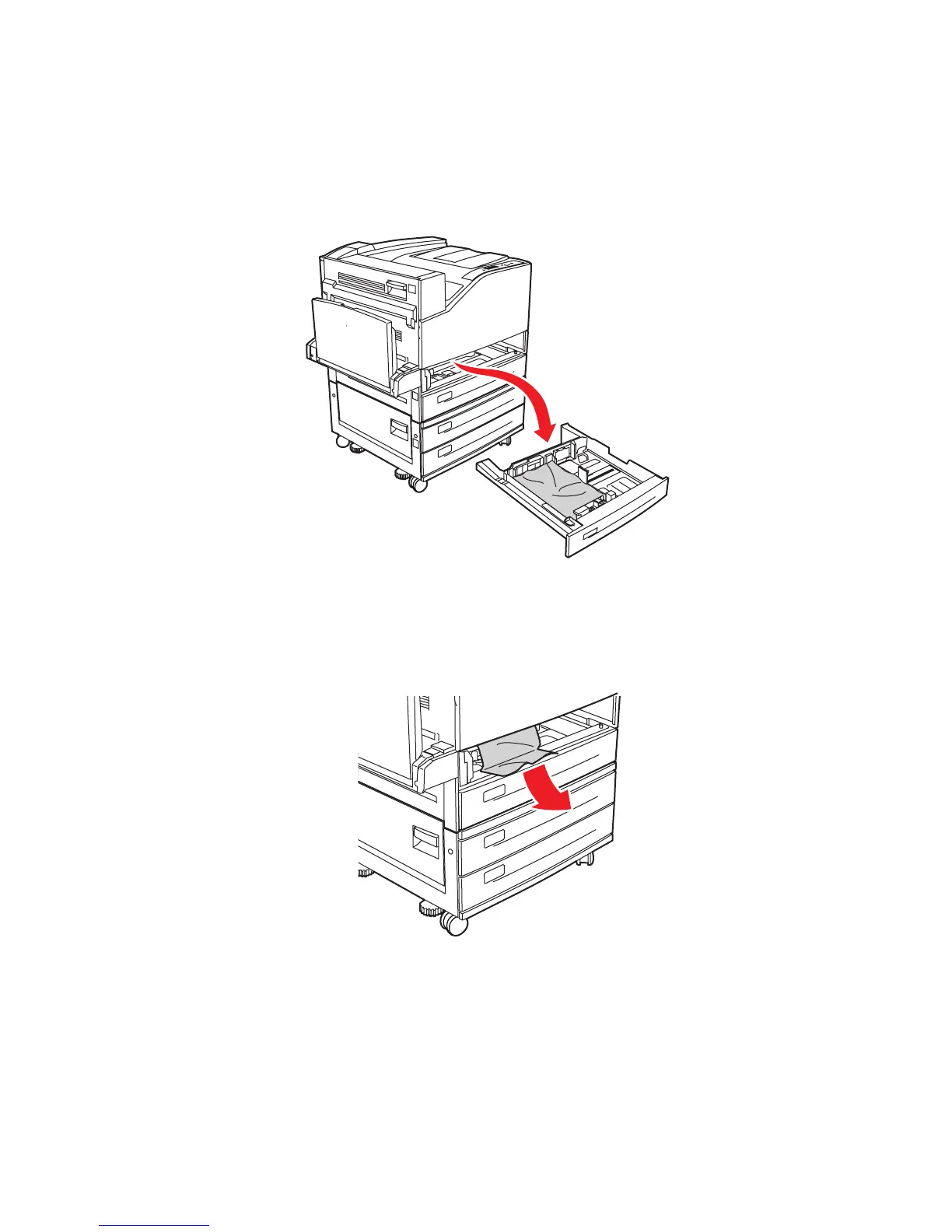
Jam at Tray 2, 3, 4, or 5
Follow these steps to clear the jam.
1. Pull the tray specified on the control panel completely out of the printer.
2. Pull jammed paper from the printer tray slot. Confirm that all paper fragments are
removed.
7330-210
A
B
C
7330-214














 To Next Page