Clearing Paper Jams
Dell 7330 Mono Laser Printer
6-41
Jam at Tray 2 and Door A
Follow these steps to clear the jam.
Warning: Use caution; some components inside Door A may be hot.
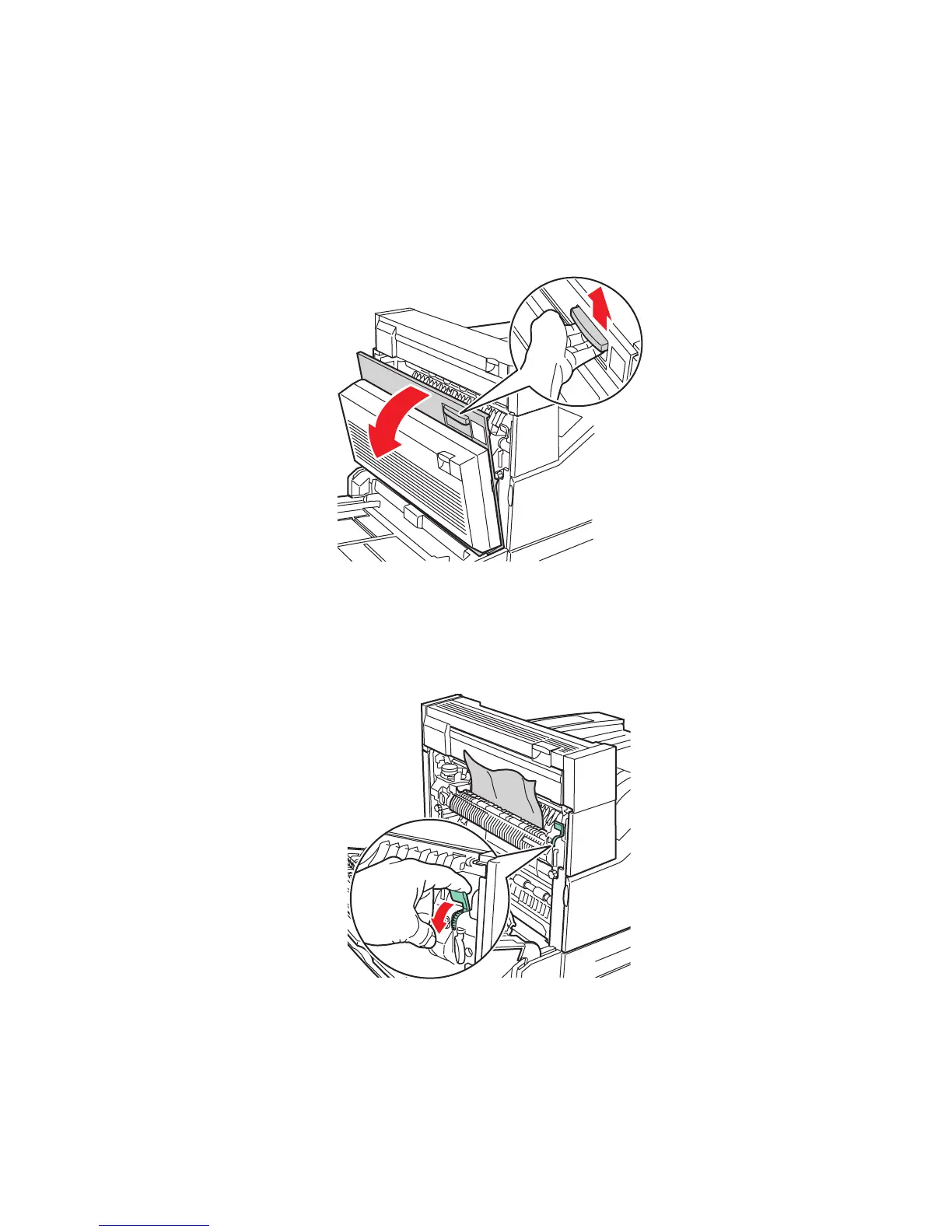
1. Open Door A.
2. Pull the jammed paper out of the printer. If necessary, press the green handle to move the
paper to make it easier to remove. Confirm that all paper fragments are removed.
7330-001
D
A
E
7330-002
E














 To Next Page