107
3. Special Features
Altitude adjustment
Print quality is affected by atmospheric pressure, which is determined by the
height of the machine above sea level. The following information will guide you
on how to set your machine for the best print quality.
Before you set the altitude value, determine the altitude where you are.
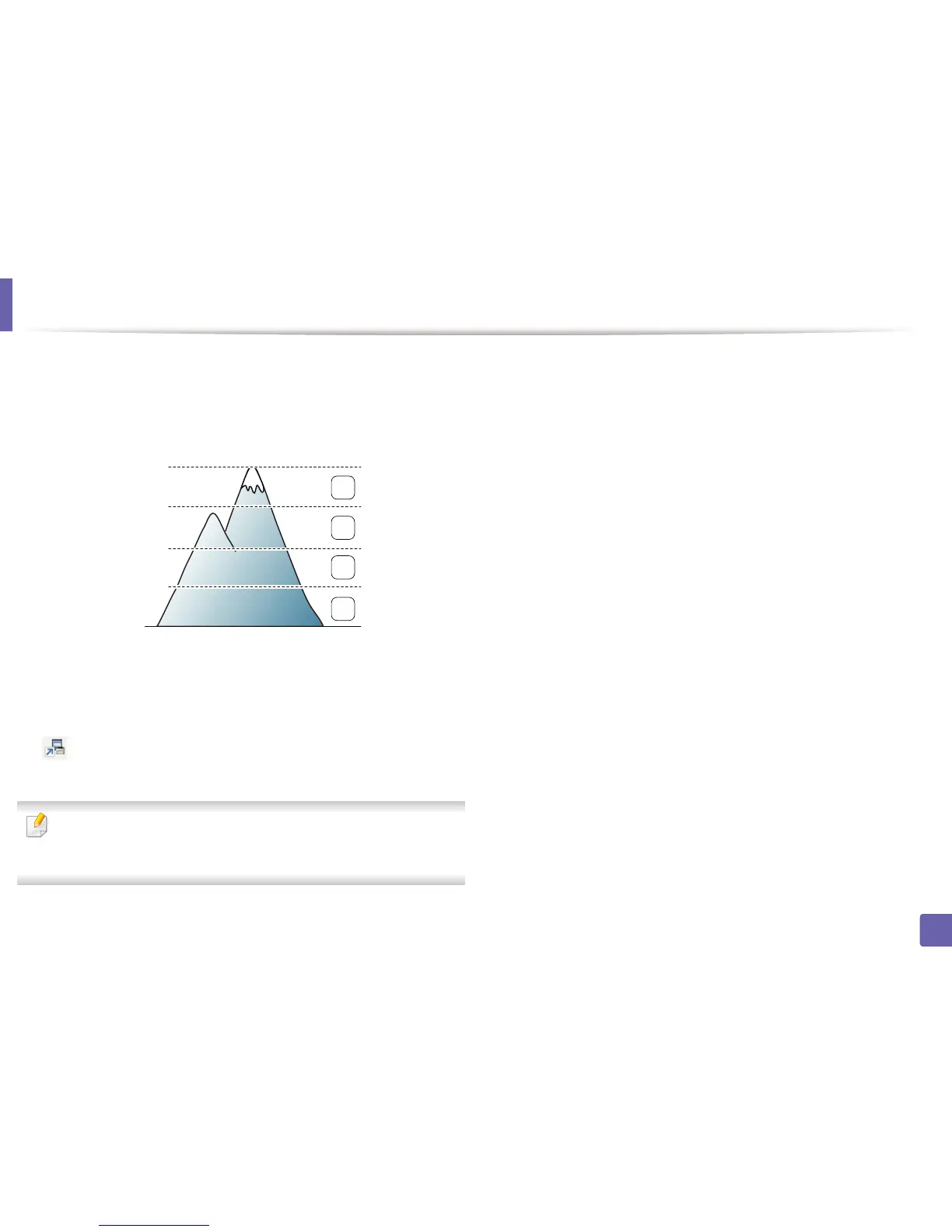
1 High 3
2 High 2
3 High 1
4 Normal
• For Windows and Macintosh users, you set from Dell Printer Manager >
(Switch to advanced mode) > Device Settings (see "Advanced
settings user interface overview" on page 126).
If your machine is connected to the network, you can set the altitude via
Embedded Web Service (see "Using Embedded Web Service (B1160w only)"
on page 123).
0
4,000 m
(13,123 ft)
3,000 m
(9,842 ft)
2,000 m
(6,561 ft)
1,000 m
(3,280 ft)
4
3
2
1















 To Next Page