78
2. Using a Network-Connected Machine (B1160w only)
Installing driver over the network
2
Windows
1
Make sure that the machine is connected to the network and powered
on. Also, your machine’s IP address should have been set.
If the “Found New Hardware Wizard” appears during the installation
procedure, click Cancel to close the window.
2
Insert the supplied software CD into your CD-ROM drive.
The software CD should automatically run and an installation window
will appear.
If the installation window does not appear, click Start > All programs >
Accessories > Run.
X:\Setup.exe replacing “X” with the letter, which represents your CD-
ROM drive and click OK.
3
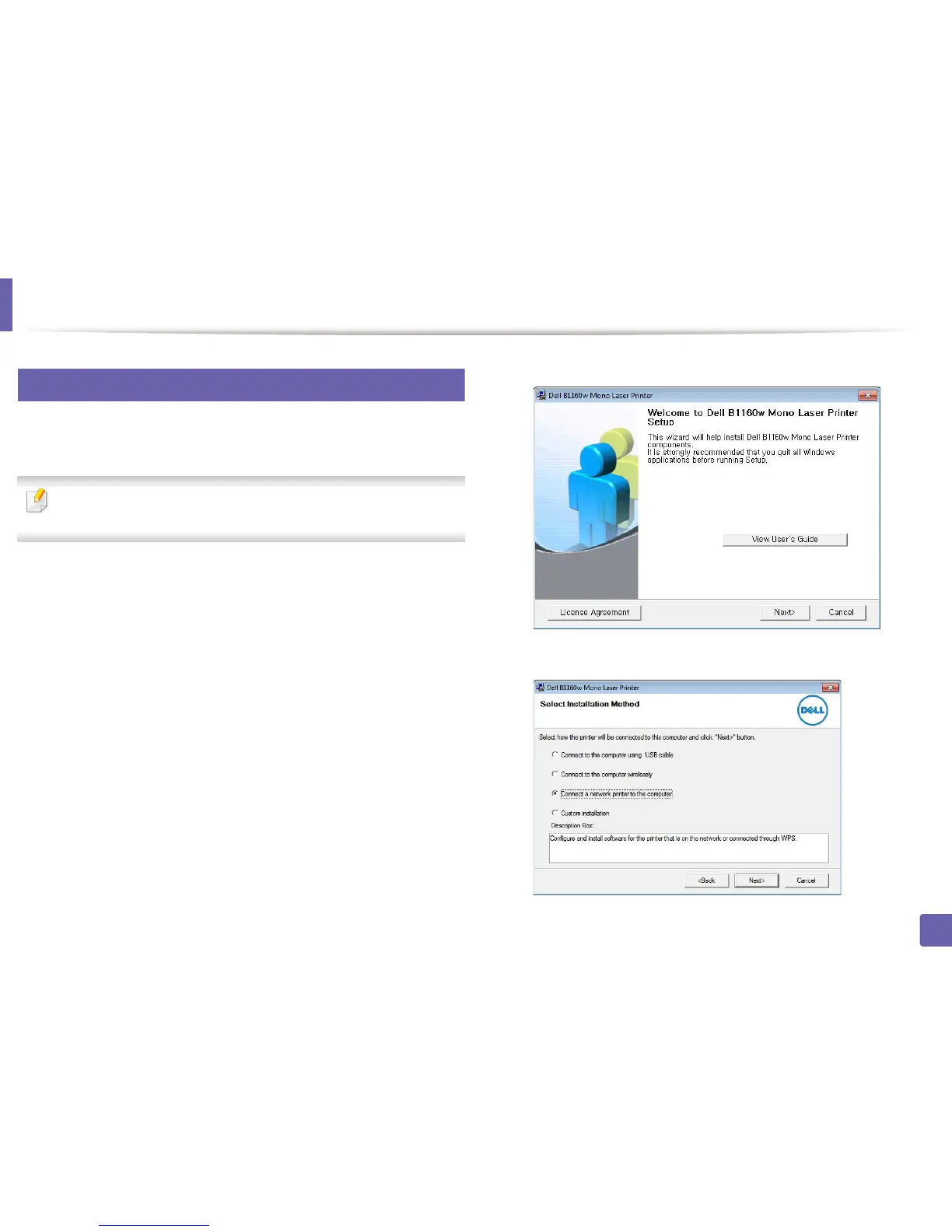
Select Next.
4
Select Connect a network printer to the computer. Click Next.















 To Next Page