40
3. Maintenance
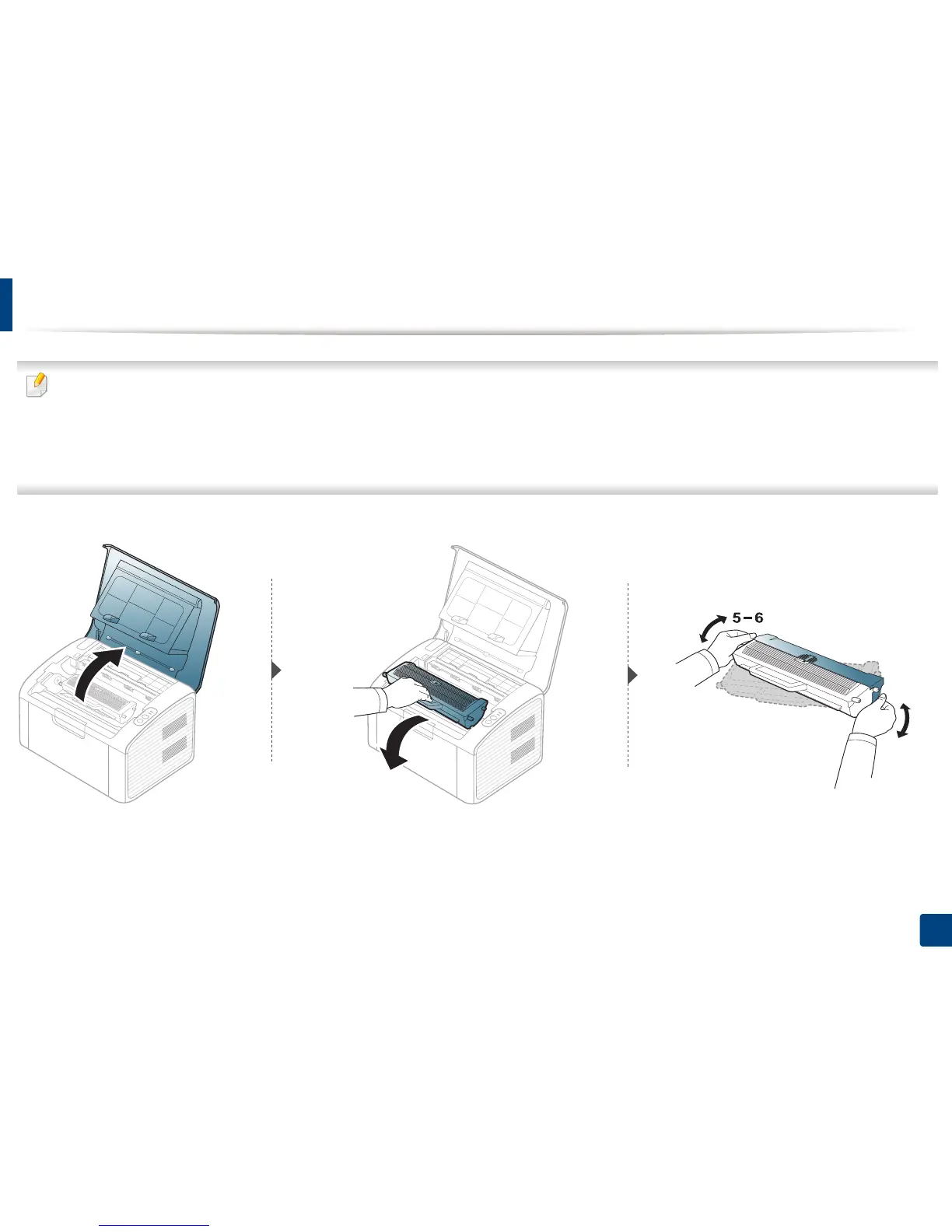
Replacing the toner cartridge
• Before opening the top cover, close the output support first.
• Do not use sharp objects such as a knife or scissors to open the toner cartridge package. They might scratch the drum of the cartridge.
• If toner gets on your clothing, wipe it off with a dry cloth and wash clothing in cold water. Hot water sets toner into fabric.
• Shake the toner cartridge thoroughly, it will increase the initial print quality.
• Do not touch the green side of the toner cartridge. Use the handle on the cartridge to avoid touching this area.
When a toner cartridge has reached the end of life, the machine will stop printing.















 To Next Page