Media and tray
24
2. Learning the Basic Usage
2
Loading paper in the tray
When the paper tray is empty or a paper jam has occurred, open and close
the top cover to resume printing after clearing the error (see "Out-of-paper
error resolution" on page 49 or "Clearing paper jams" on page 50).
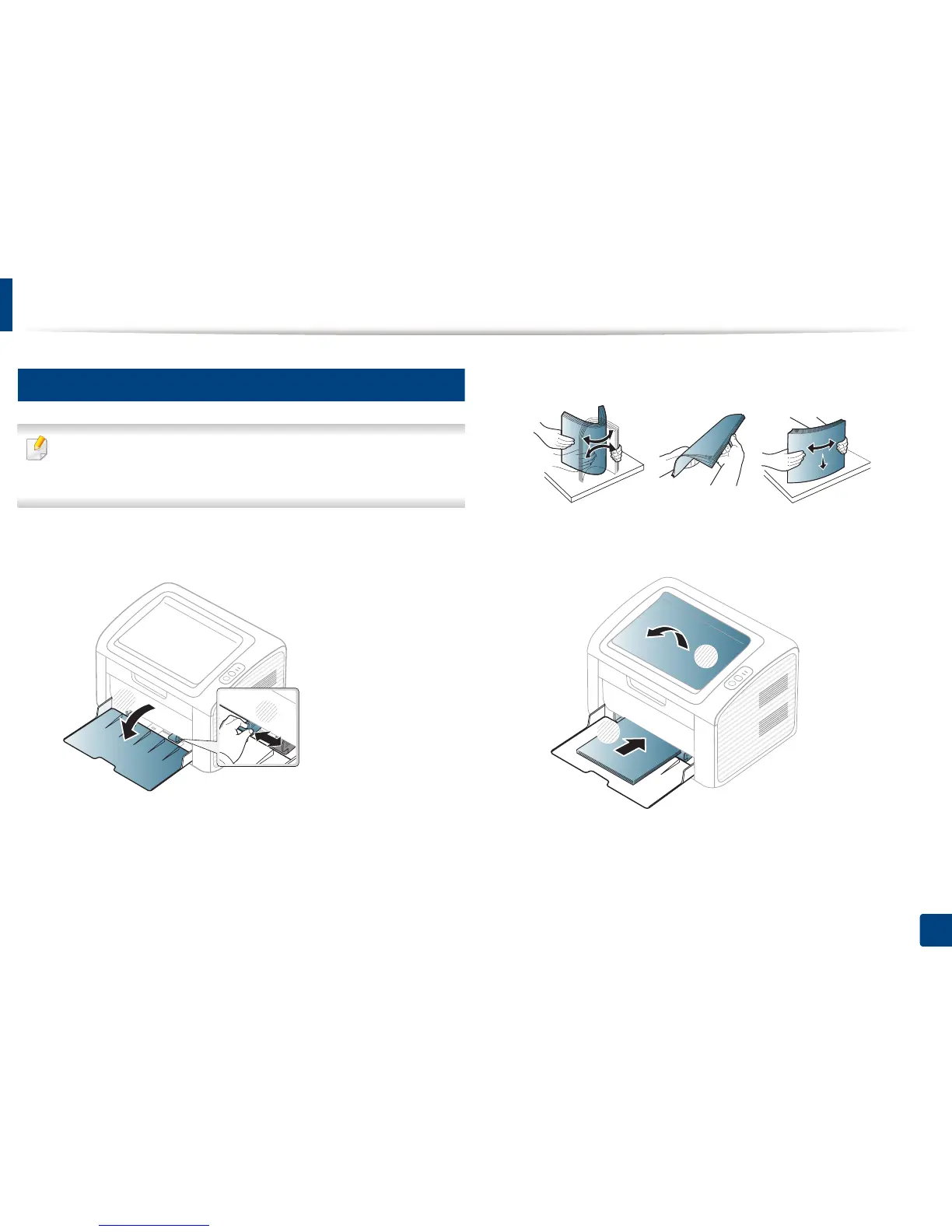
1
Open the tray. Then, adjust the tray size to the media size you are loading
(see "Tray overview" on page 23).
2
Flex or fan the edge of the paper stack to separate the pages before
loading papers.
3
Place the paper with the side you want to print facing up and
open the output tray.
2
1















 To Next Page