Media and tray
28
2. Learning the Basic Usage
- Temperature: should resist the heat and pressure of the machine
during operation.
• Use only well-constructed envelopes with sharp and well-creased folds.
• Do not use stamped envelopes.
• Do not use envelopes with clasps, snaps, windows, coated lining, self-
adhesive seals, or other synthetic materials.
• Do not use damaged or poorly made envelopes.
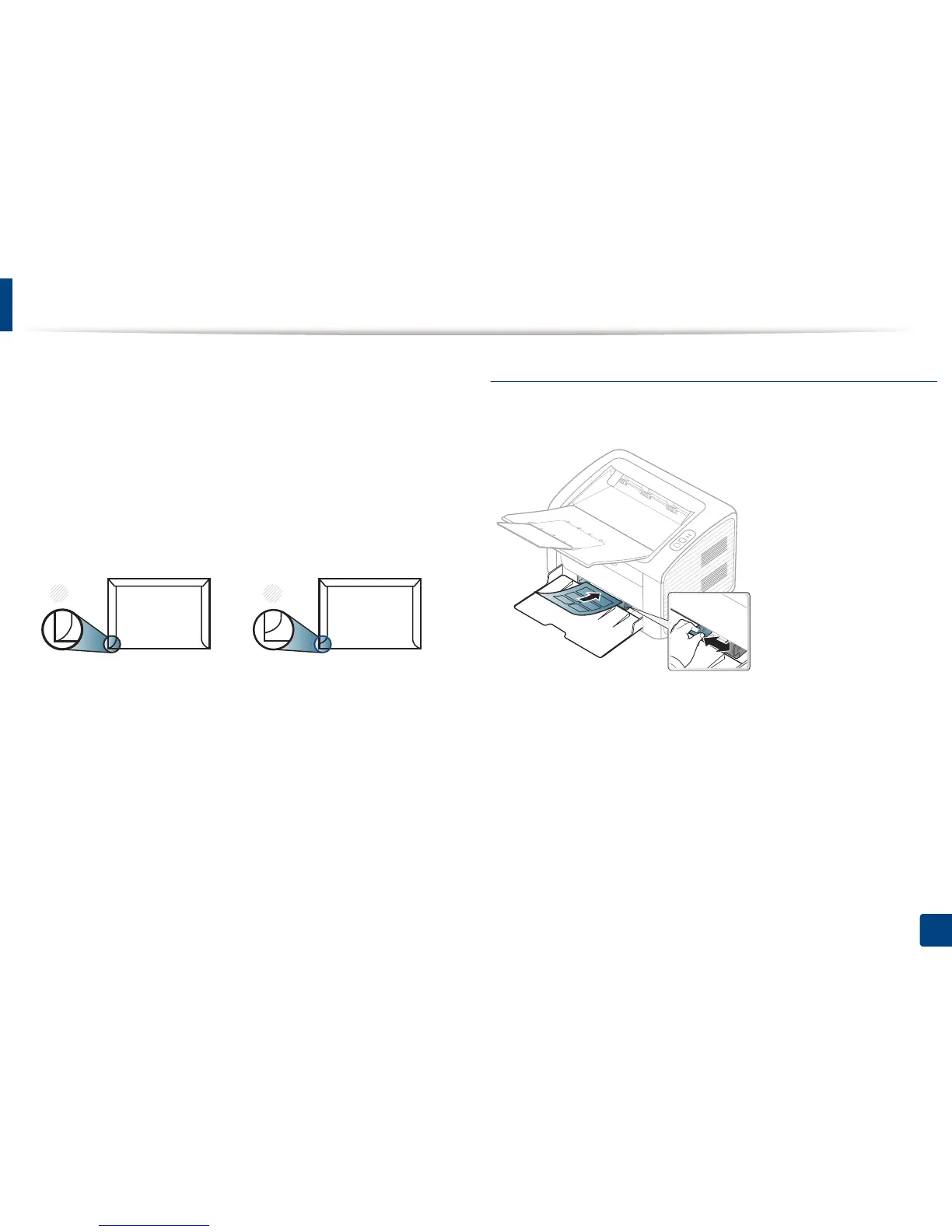
• Be sure the seam at both ends of the envelope extends all the way to the
corner of the envelope.
1 Acceptable
2 Unacceptable
• Envelopes with a peel-off adhesive strip or with more than one flap that
folds over to seal must use adhesives compatible with the machine’s fusing
temperature for 0.1 second (about 170°C (338 °F)). The extra flaps and strips
might cause wrinkling, creasing, or jams, and may even damage the fuser.
• For the best print quality, position margins no closer than 15 mm from the
edges of the envelope.
• Avoid printing over the area where the envelope’s seams meet.
Labels
To avoid damaging the machine, use only labels designed for use in laser
printers.
• When selecting labels, consider the following factors:
- Adhesives: Should be stable at your machine’s fusing temperature.
Check your machine’s specifications to view the fusing temperature
(about 170°C (338°F)).
- Arrangement: Only use labels with no exposed backing between them.
Labels can peel off sheets that have spaces between the labels, causing
serious jams.
- Curl: Must lie flat with no more than 13 mm of curl in any direction.
- Condition: Do not use labels with wrinkles, bubbles, or other
indications of separation.















 To Next Page