390 Faxing
FILE LOCATION: C:\Users\fxstdpc-
admin\Desktop\0630_UG??\Mioga_AIO_UG_FM\Mioga_AIO_UG_FM\section20.fm
DELL CONFIDENTIAL – PRELIMINARY 9/13/10 - FOR PROOF ONLY
2
Adjust the document resolution. (For details, see "Adjusting the Document
Resolution.")
To fax a document from the document glass:
1
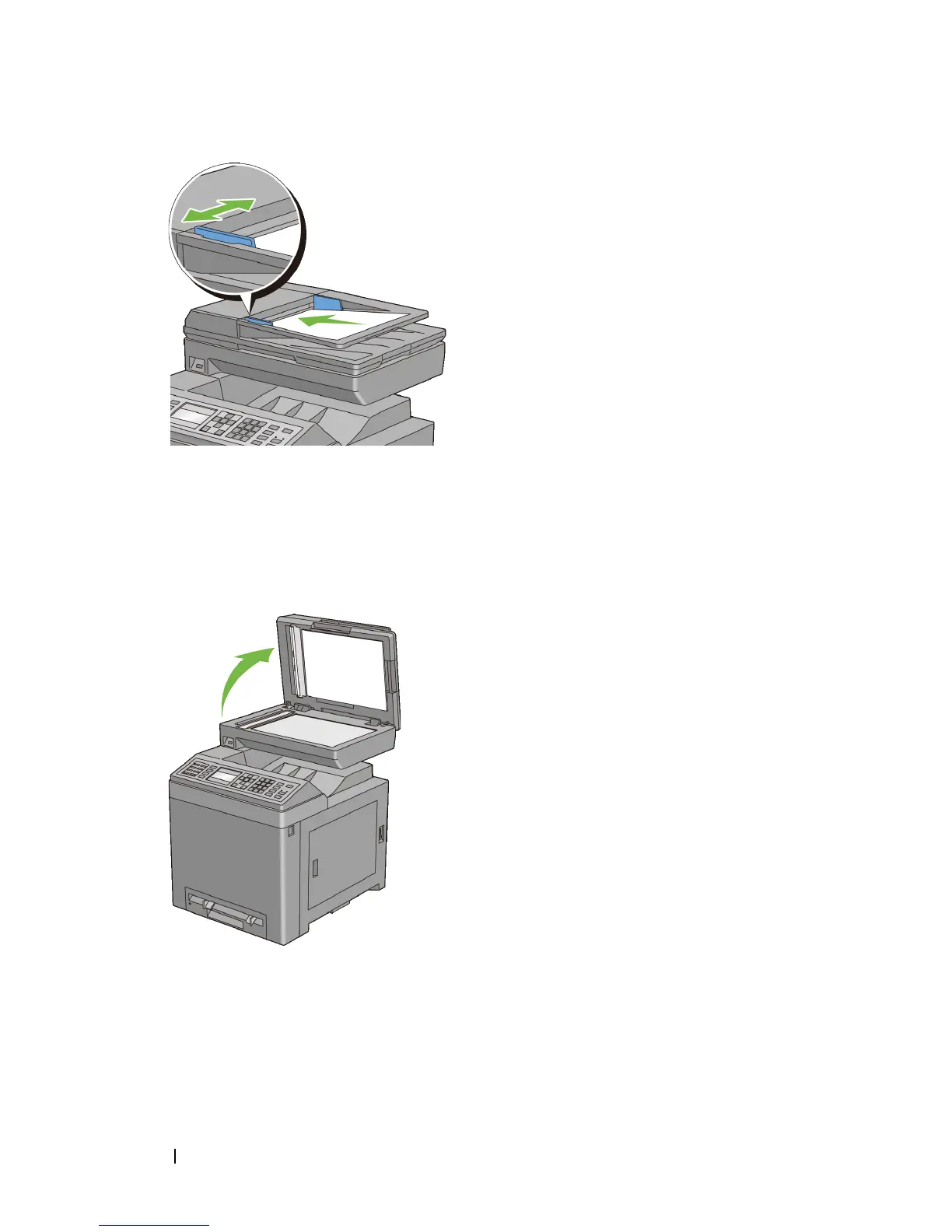
Open the document cover.
2
Place the document facing down on the document glass and align it with the
registration guide on the top left corner of the glass.






 To Next Page