EasyManua.ls Logo

Dell D2020H - User Manual

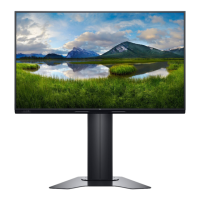
Dell D2020H
46 pages
Print Icon
To Next Page IconTo Next Page
Loading...
Dell D2020H
User’s Guide
Monitor Model: D2020H
Regulatory model: D2020Hf

Other manuals for Dell D2020H

Questions and Answers

  • C
    christopheralexanderSep 10, 2025
    Why is my Dell D2020H flickering or showing shaky video?
    • L
      Lindsey SandersSep 12, 2025
      If your Dell monitor's video is shaky or jittery, try resetting the monitor to its factory settings. Also, check for any environmental factors that might be causing interference. If the problem persists, relocate the monitor and test it in another room.
  • M
    Matthew StephensonSep 12, 2025
    What to do if I cannot adjust my Dell D2020H Monitor with the buttons?
    • W
      willisjonSep 12, 2025
      To troubleshoot the issue where you cannot adjust your Dell monitor with the buttons, turn off the monitor, unplug the power cord, plug it back in, and then turn on the monitor. Check the signal source and ensure the computer is not in standby or sleep mode by moving the mouse or pressing any key on the keyboard. Also, check if the video cable is plugged in properly; disconnect and reconnect it if necessary. You may also try resetting the computer or video player.
  • B
    Breanna JenkinsSep 14, 2025
    How to prevent image retention on my Dell Monitor?
    • J
      jose73Sep 14, 2025
      To prevent image retention on your Dell monitor from a static image left on the screen for a long period, use a dynamically changing screensaver.
  • K
    Katrina RiveraSep 16, 2025
    What are missing pixels on a Dell Monitor?
    • J
      Jonathan RobertsonSep 16, 2025
      A pixel that is permanently off is a natural defect that can occur in LCD technology. You can try cycling the power On and Off.

Summary

About Your Monitor

Product Features

Details the technical features and capabilities of the Dell D2020H monitor.

Identifying Features and Controls

Identifies the front view components of the monitor and their functions.

Monitor Specifications

Lists detailed technical specifications including screen type, resolution, and connectivity.

Setting Up Your Monitor

Connecting the Stand

Step-by-step instructions for assembling and attaching the monitor stand.

Connecting Your Monitor

Instructions for connecting the monitor to a computer using VGA or HDMI cables.

Removing the Stand

Procedure for safely detaching the monitor stand from the monitor.

Operating Your Monitor

Front Panel Controls

Explains the function of the monitor's front panel control buttons.

Accessing the OSD Menu

Steps to display and navigate the main On-Screen Display (OSD) menu.

Brightness and Contrast Settings

How to adjust the monitor's brightness and contrast levels via the OSD.

Auto Adjust Function

Describes how to activate automatic setup and adjust the monitor's image.

Input Source Selection

How to switch between different video input sources like VGA, HDMI, and Auto Select.

Color Settings

Options for adjusting color settings, including preset modes and color format.

Aspect Ratio Adjustment

Adjusts the image ratio to Wide 16:9, 4:3, or 5:4 for proper display.

Personalization Options

Customizes shortcut keys, power LED, and resets personalization settings.

Setting Display Resolution

Guides on setting the display resolution to 1600 x 900 in Windows.

Setting Resolution on Non-Dell PCs

Instructions for setting display resolution on computers not manufactured by Dell.

Troubleshooting

Monitor Self-Test Procedure

Steps to perform a self-test to check monitor functionality without a computer.

Dell D2020H Specifications

General IconGeneral
Screen Size19.5 inches
Resolution1600 x 900
Panel TypeTN
Refresh Rate60 Hz
Aspect Ratio16:9
Brightness200 cd/m²
Response Time5 ms
Power Consumption14W (typical)
Contrast Ratio600:1
PortsVGA
Viewing Angle90° (H) / 65° (V)

Related product manuals